~/projects/microsoft/golocal-buildout M365 · Global Cloud Expansion · Internal Tool Design
Product Designer · Enterprise Internal Tools

GOLocal Buildout // Microsoft M365 · Global Deployment Dashboard

Designed the internal application that gave Microsoft's global deployment team real-time visibility into data center expansion across 40+ countries — replacing Excel sheets and fragmented tools with a single source of truth.

Figma
Fluent Design System
Power BI Integration
WCAG Accessibility
13-person Team
Global Deployment
// GOLocal_Buildout — Live Dashboard
ACTIVE
// Countries Tracked
40+
Global Markets
// Team Size
13
Cross-regional
// M365 Workloads
EXO · SPO · Teams
Exchange · SharePoint · Teams
// Manual Reports
Eliminated
Excel → Unified Dashboard
// Active DeploymentsSTATUS
Germany
EXO · SPO · Teams
LIVE
Israel
Exchange Online
IN PROGRESS
Poland
SharePoint Online
IN PROGRESS
Mexico
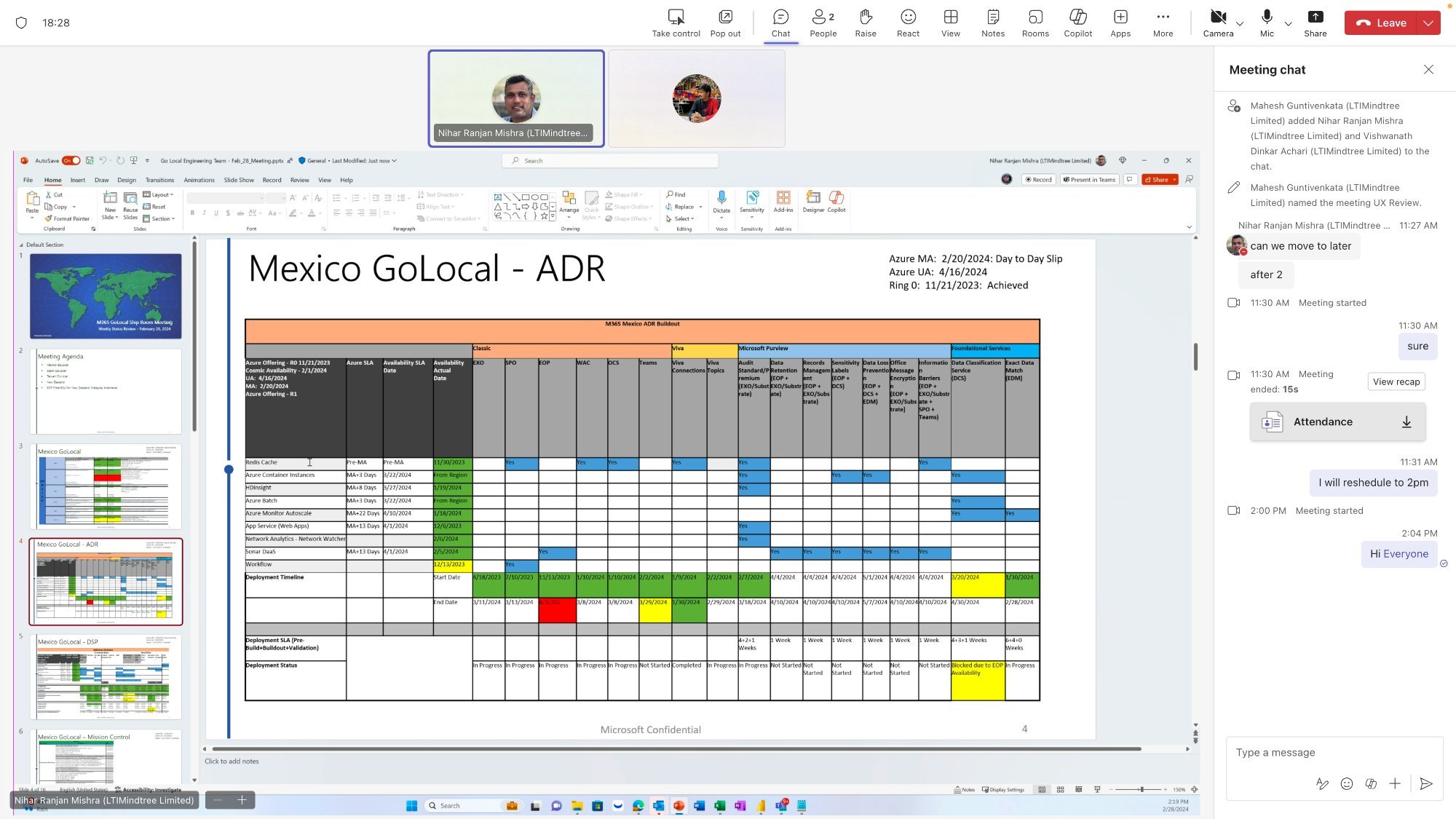
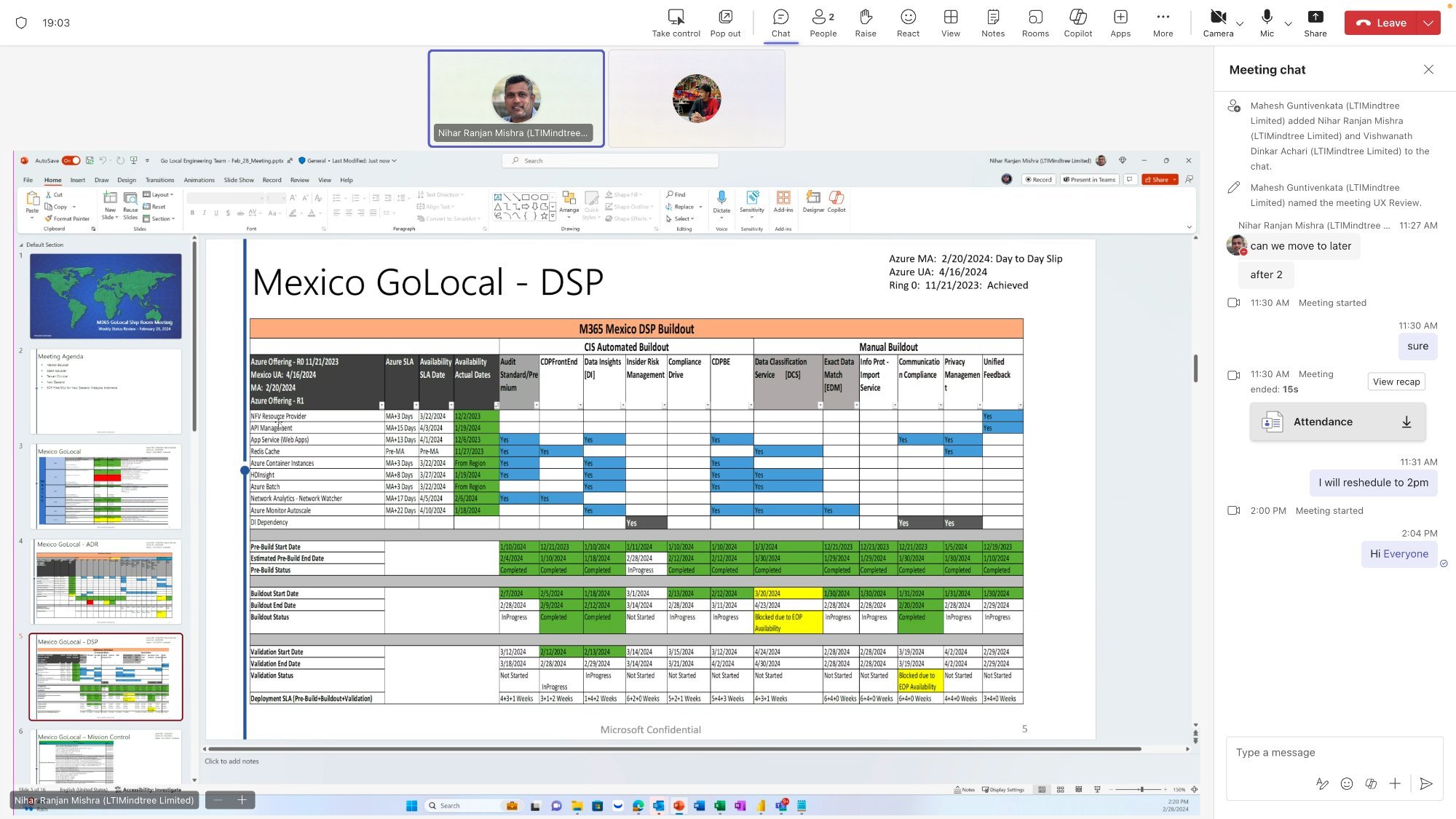
GOLocal AOR · DSP
PLANNING
// Global Deployment Progress73%
The Problem — Why a deployment team was flying blind
// The Problem

One team. 40 countries. Zero unified visibility.

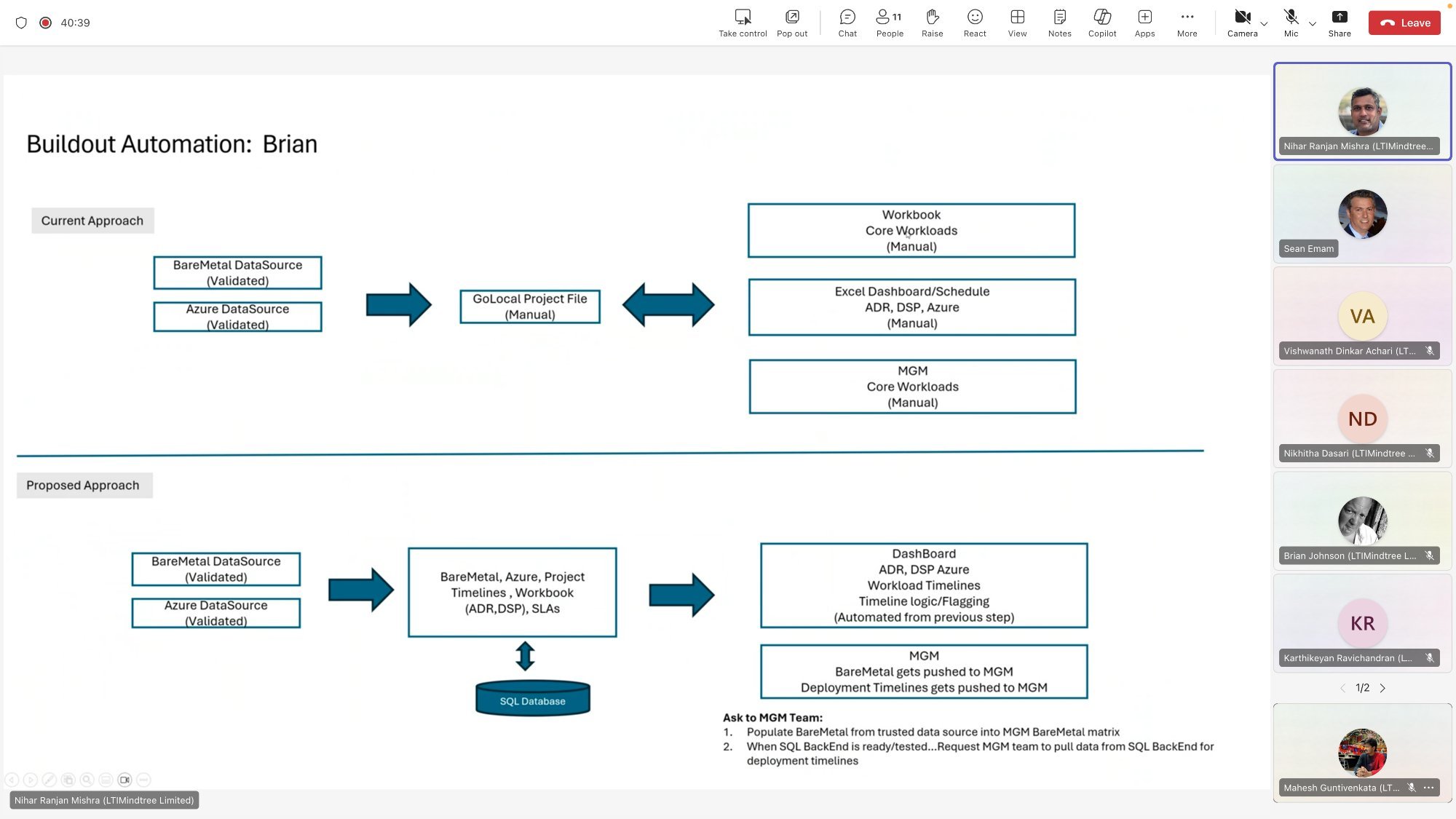
Microsoft's M365 global deployment team was responsible for expanding cloud services to local markets worldwide — a mission-critical operation involving data center planning, compliance with local regulations, and coordinating workloads across Exchange Online, SharePoint, and Teams. But they had no tool built for the job.

error_01
Excel as a Dashboard
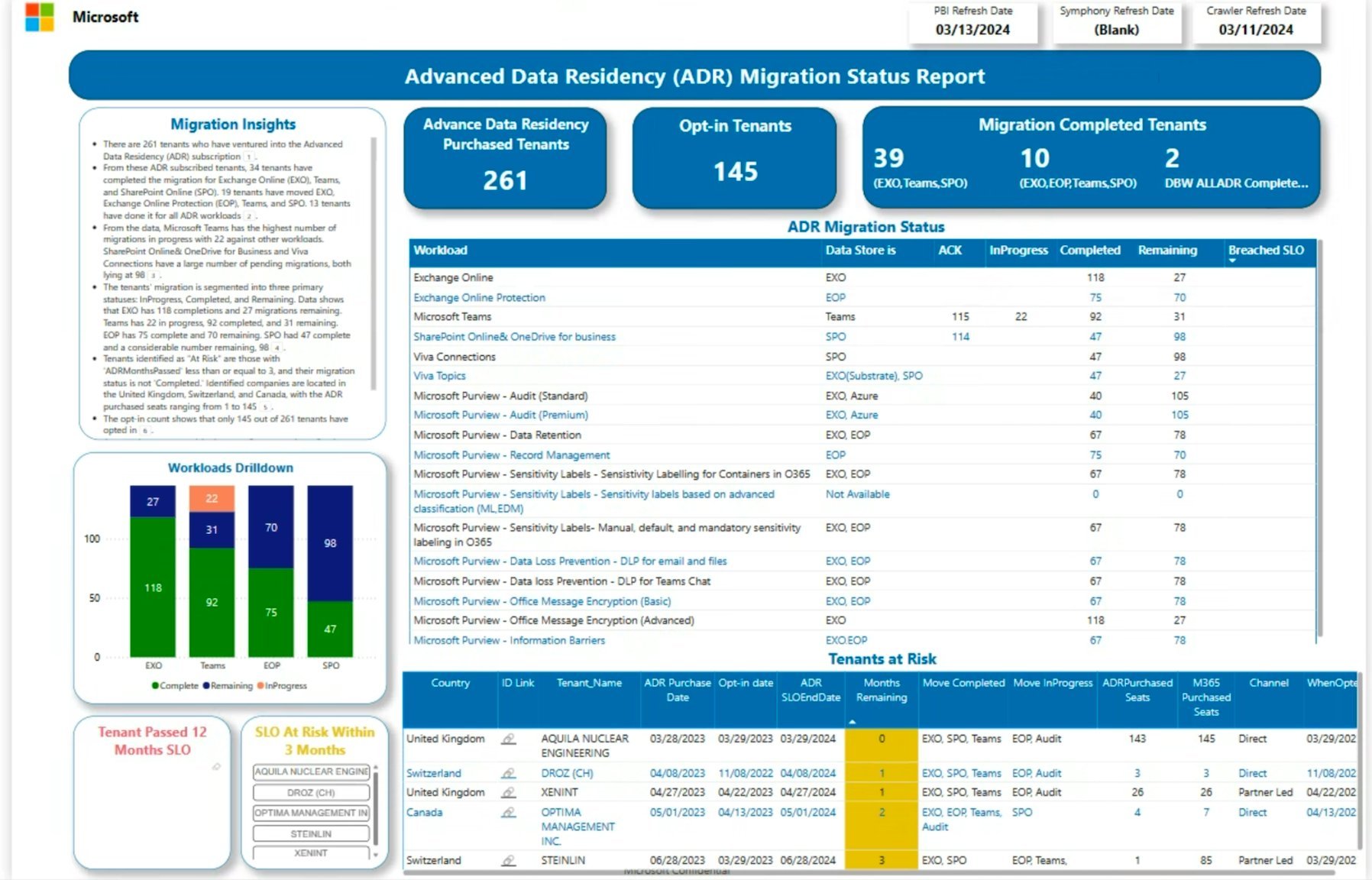
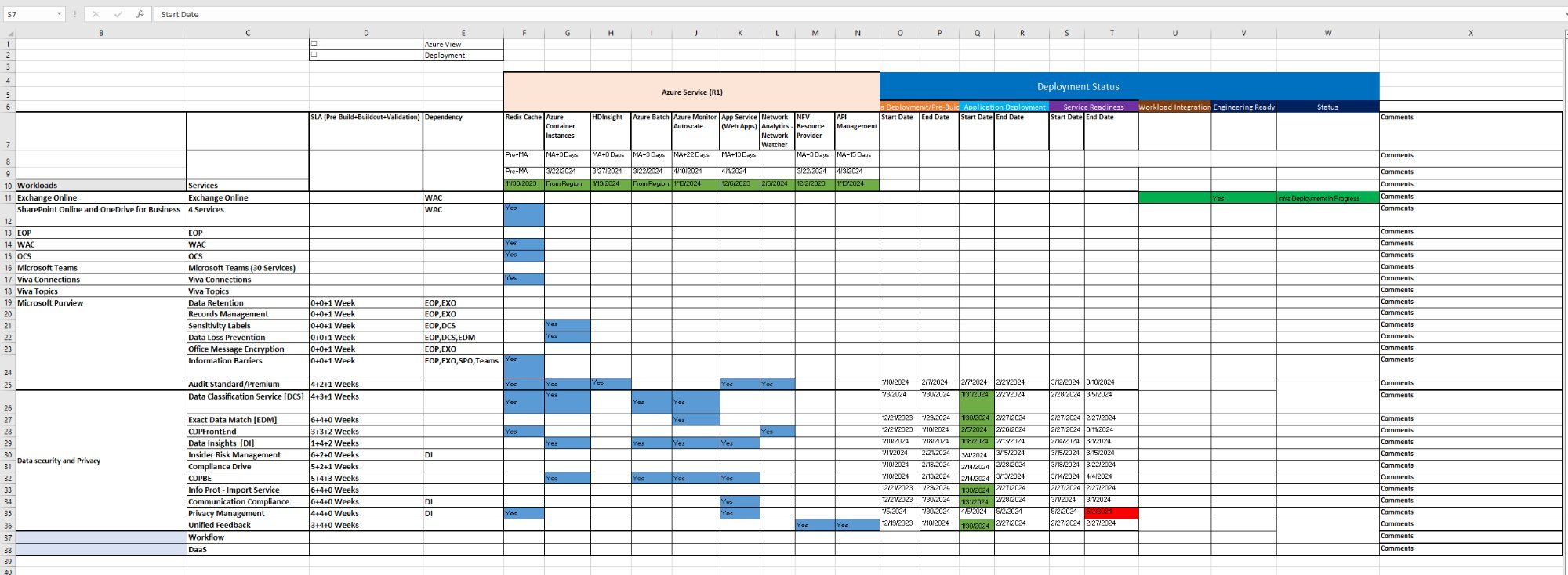
Deployment tracking lived in manually maintained Excel sheets. Every update was a manual process — error-prone, time-consuming, and always out of date by the time it reached decision-makers.
error_02
Fragmented Tool Stack
Data lived across SharePoint, Visual Studio, SQL, and Power BI with no unified view. Teams spent hours consolidating information that should have taken minutes.
error_03
No Real-Time Status
The absence of live deployment status meant bottlenecks were discovered late — after delays had already cascaded through dependent workloads and markets.
error_04
Compliance Risk
Restricted markets (public sector, healthcare, finance) had unique compliance requirements. Without a centralized tool, tracking regulatory adherence across regions was inconsistent.
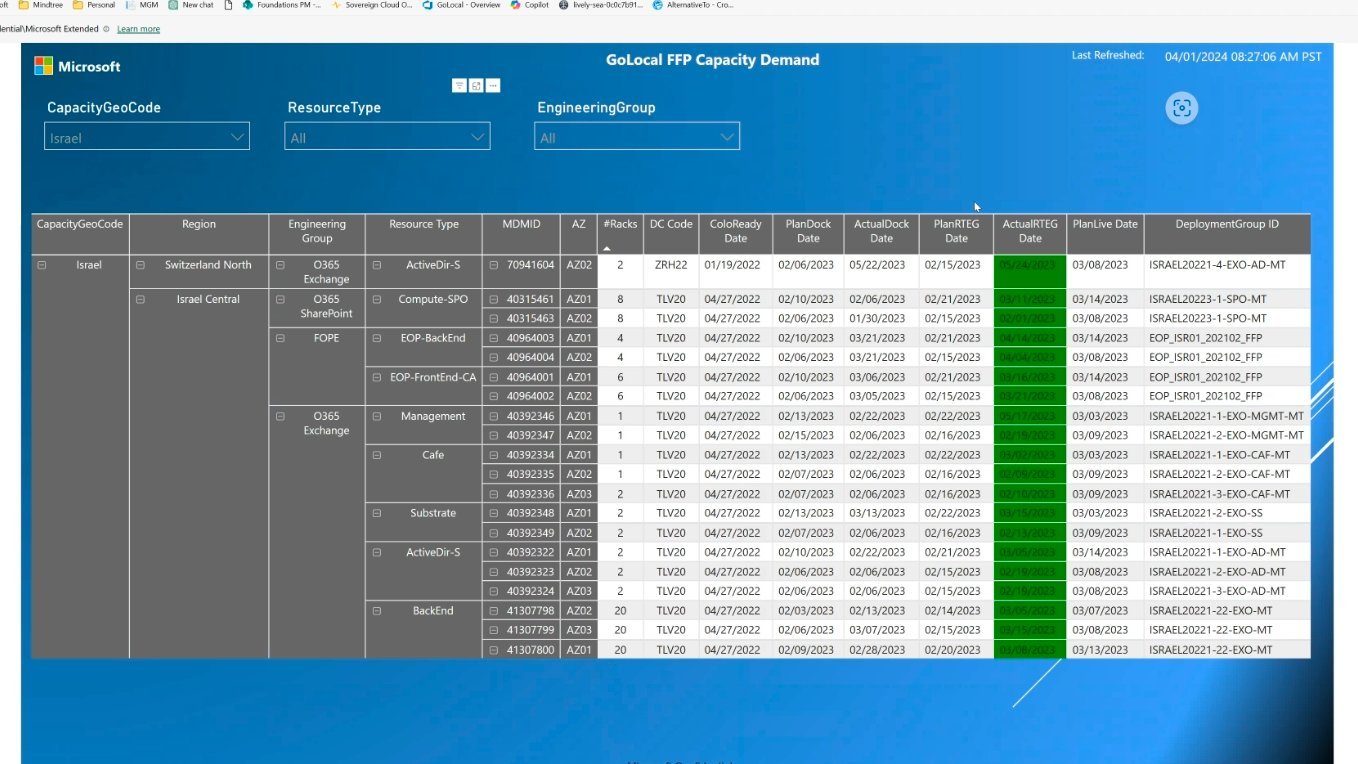
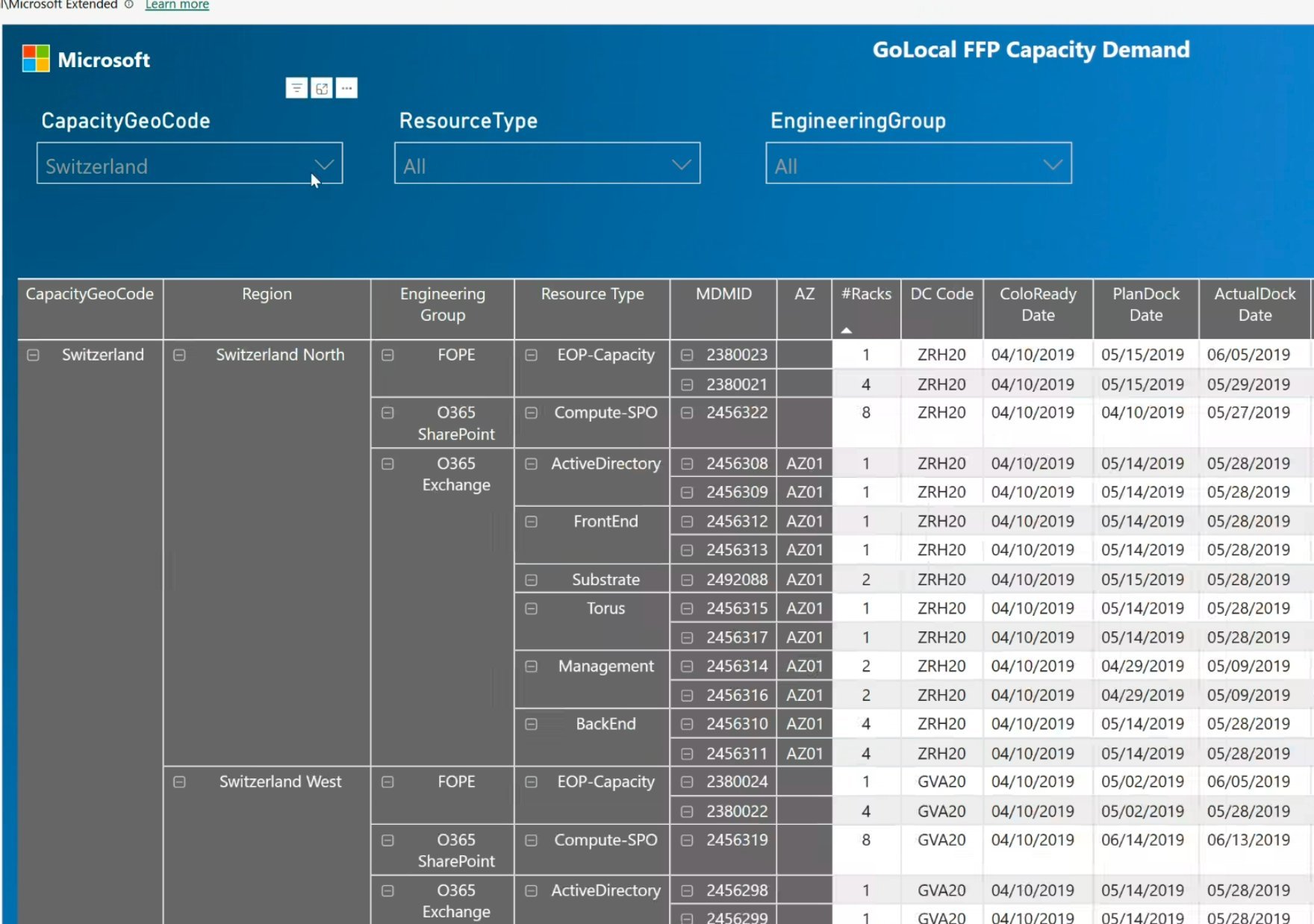
ADR Sample
ADR Sample Report Before GOLocal
M1.1
M365 Deployment Overview Clarify Phase
Research Framework — How I understood a complex enterprise problem
// Research Framework

The AEIOU Framework

Before designing a single screen, I needed to deeply understand how 13 people across the USA and India did their jobs. I applied the AEIOU observational research framework — a structured way to capture the full context of how a team works, not just what they say they need.

A
Activities
Business evaluation, data center planning, deployment workflows. What does the team actually do all day?
E
Environment
Working conditions across USA & India, local market infrastructure variations, emerging market constraints.
I
Interactions
How project managers, local teams, and end-users communicate. Where handoffs break down.
O
Objects
Tools in use: Power BI, SharePoint, Visual Studio, SQL. How data flows between them today.
U
Users
Deployment team, local market leads, support staff. Three distinct user groups with different needs.
// Design Process

From research to clarity

step_01
Stakeholder Interviews
Interviewed deployment team members to understand their daily workflows, biggest frustrations, and what "good" would look like. Mapped user personas for three distinct groups: deployment engineers, local market leads, and support staff.
Finding: All 3 user groups needed different views of the same data. One dashboard, three contexts.
step_02
Journey Mapping
Built user journey maps for each persona — tracing how a deployment request moved from business evaluation through data center planning to launch. Identified 7 handoff points where information was lost or delayed.
Decision: Design around the handoff moments, not just the end screens.
step_03
Brainstorming & Ideation
Facilitated cross-functional sessions with engineers in USA and India. Used silent brainstorming (write first, share second) to avoid groupthink. Generated 40+ ideas, narrowed to 8 viable concepts through dot voting with stakeholders.
Insight: The team needed status at a glance — not reports they had to read.
step_04
Storyboarding
Storyboarded complex interaction flows before touching Figma. This saved significant time by avoiding prototyping edge cases that wouldn't survive real-world use. Each storyboard was validated with at least one team member before moving forward.
Result: Zero major flow changes during development phase.
MUX 1
MUX Research Session 1 Clarify Phase
MUX 2
MUX Research Session 2 User Needs Mapping
MUX 7
Ideation Session Brainstorming Phase
Journey Map
User Journey Map Deployment Flow
AEIOU Framework
AEIOU Framework Application Full Research Summary
Design System — Building with Microsoft Fluent
// Design System

Microsoft Fluent UI

Working within Fluent wasn't a limitation — it was the right call for an internal enterprise tool. Fluent's components gave the deployment team immediate familiarity, reduced learning curve, and ensured the tool felt native to the Microsoft ecosystem they already used daily.

Pre-built Components
Leveraged Fluent's buttons, dropdowns, data grids, and navigation bars. Every deviation from defaults was documented with a rationale — ensuring future maintainability.
WCAG Accessibility
A global tool requires universal accessibility. Applied Fluent's accessible color contrast, keyboard navigation, ARIA labels, and screen reader compatibility throughout.
Responsive & Adaptive
Deployment teams work from offices in the USA to data centers in emerging markets. The tool needed to work on every screen, in every environment, in light and dark modes.
Accordion
Fluent Accordion Component Library
Breadcrumb
Fluent Breadcrumb Navigation System
Card
Fluent Card Data Display
Development — Wireframes to high-fidelity, four versions
// Iteration History

Four versions. Each one earned.

I didn't jump straight to high-fidelity. Starting with low-fidelity sketches in Figma and FigJam, I built up through four versions — each responding directly to feedback from the deployment team, stakeholders, and usability testing sessions.

V1
// version_01 — Low Fidelity
Structure First
Started with skeleton wireframes focused purely on information architecture. What data needs to be visible? In what order? Which country views link to which workload views? No colors, no styling — just the bones.
Outcome: Validated the core navigation model with the team. Confirmed 3-level hierarchy: Global → Country → Workload.
V2
// version_02 — Mid Fidelity
Adding Context
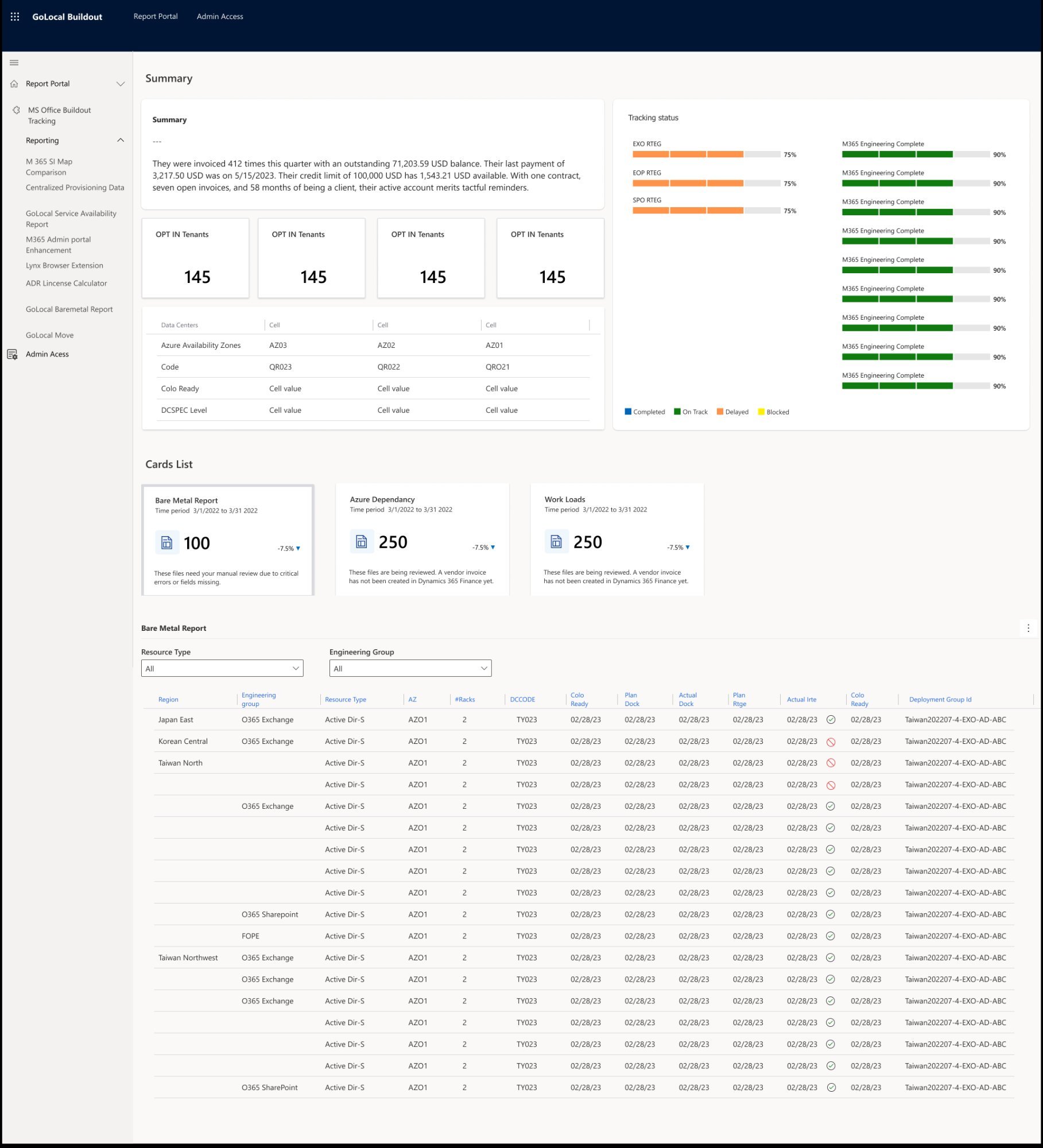
Introduced status indicators, data visualization patterns, and Fluent components. Began testing with real deployment data to see if the information hierarchy held up when actual content was applied.
Outcome: Status badges redesigned twice — team needed to distinguish 6 states at a glance. Simplified to 3 primary states.
V3
// version_03 — High Fidelity
Full Fidelity Prototype
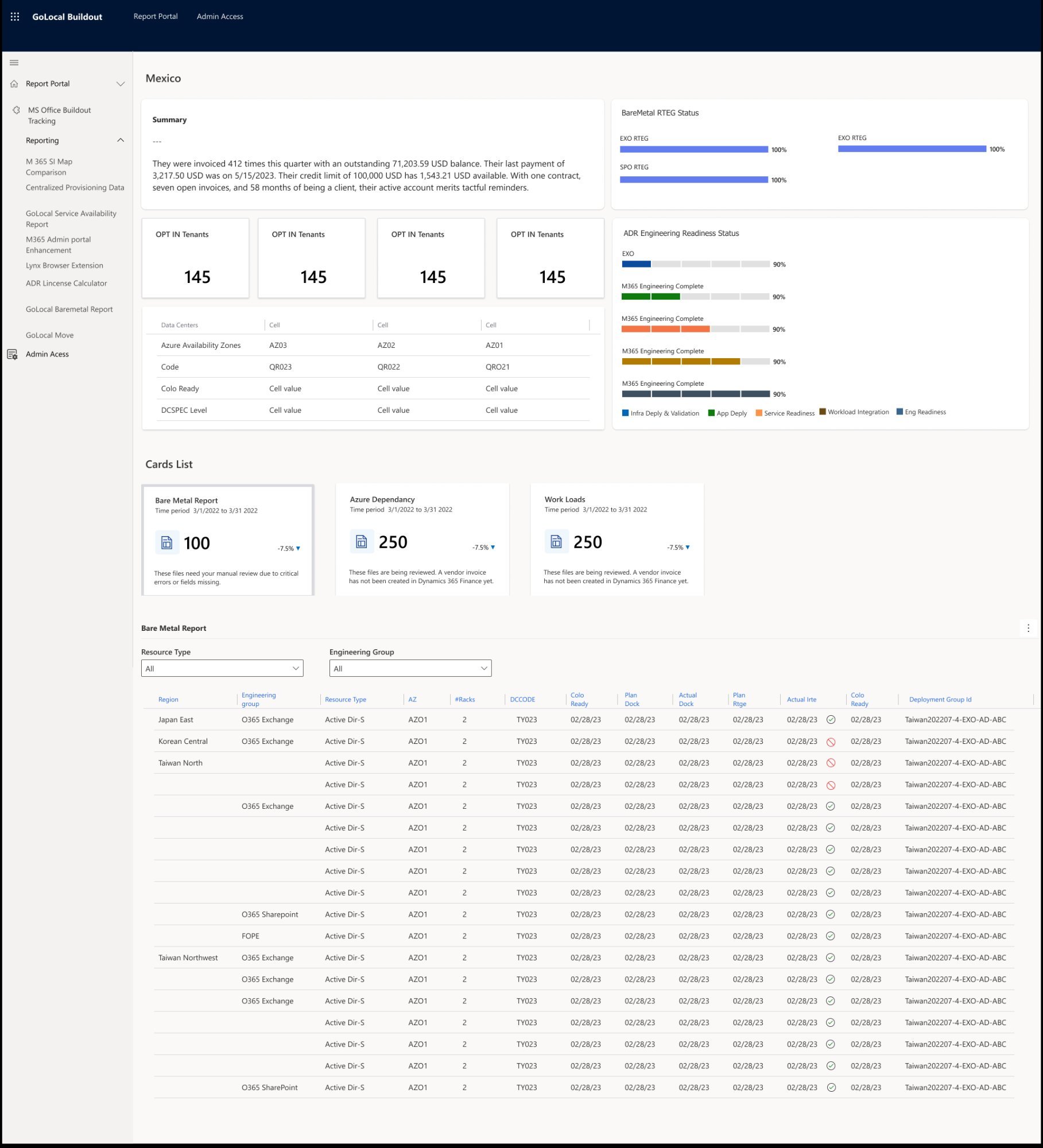
Built pixel-perfect Figma prototype with full interactivity. Used Figma masters for all reusable components — allowing visual updates to propagate across every instance in the prototype simultaneously.
Outcome: Prototype became the primary communication tool with the dev team. "What you see is what you get" accelerated sign-off.
V4
// version_04 — Final · Forms Migration
Production Ready
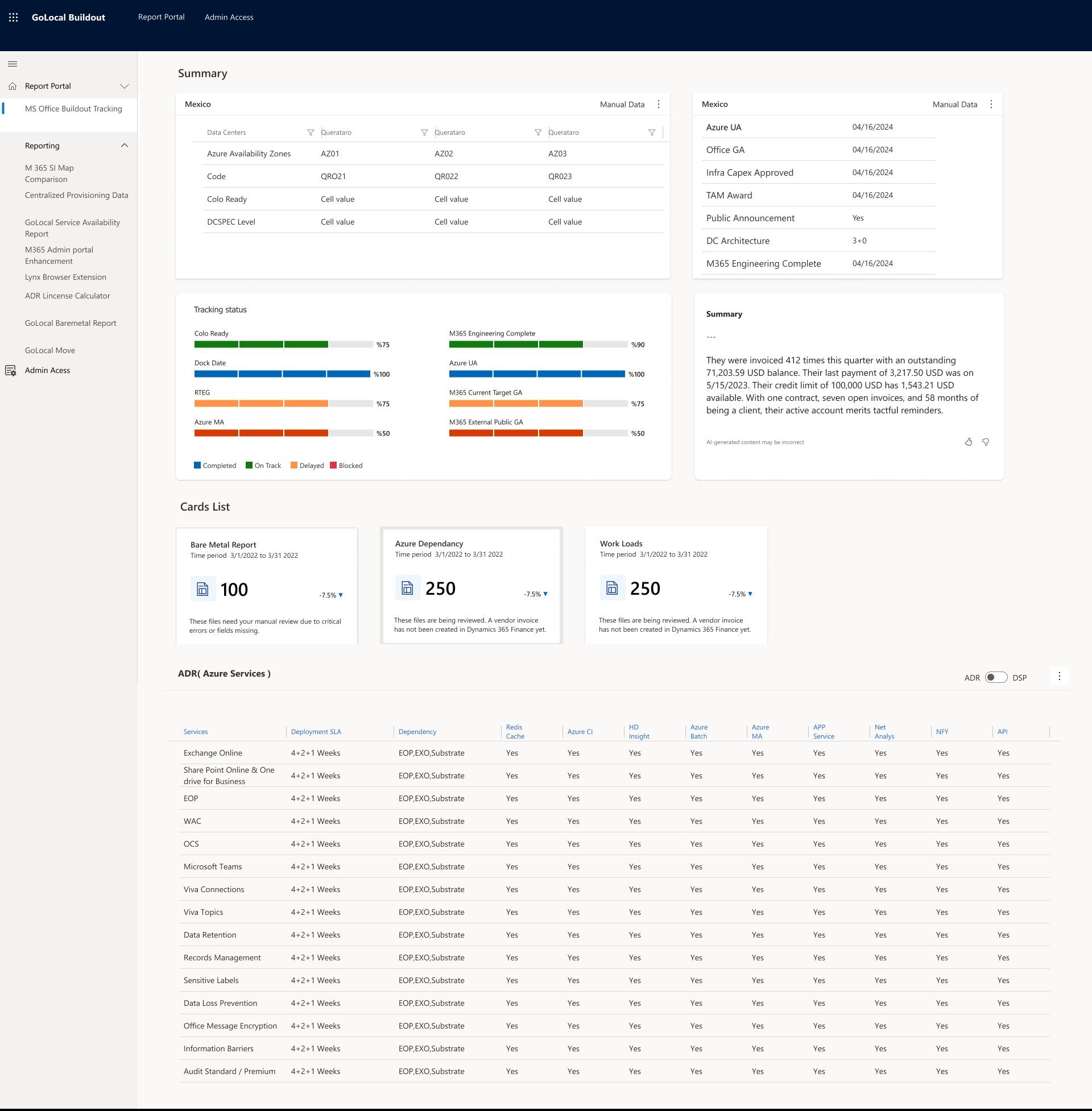
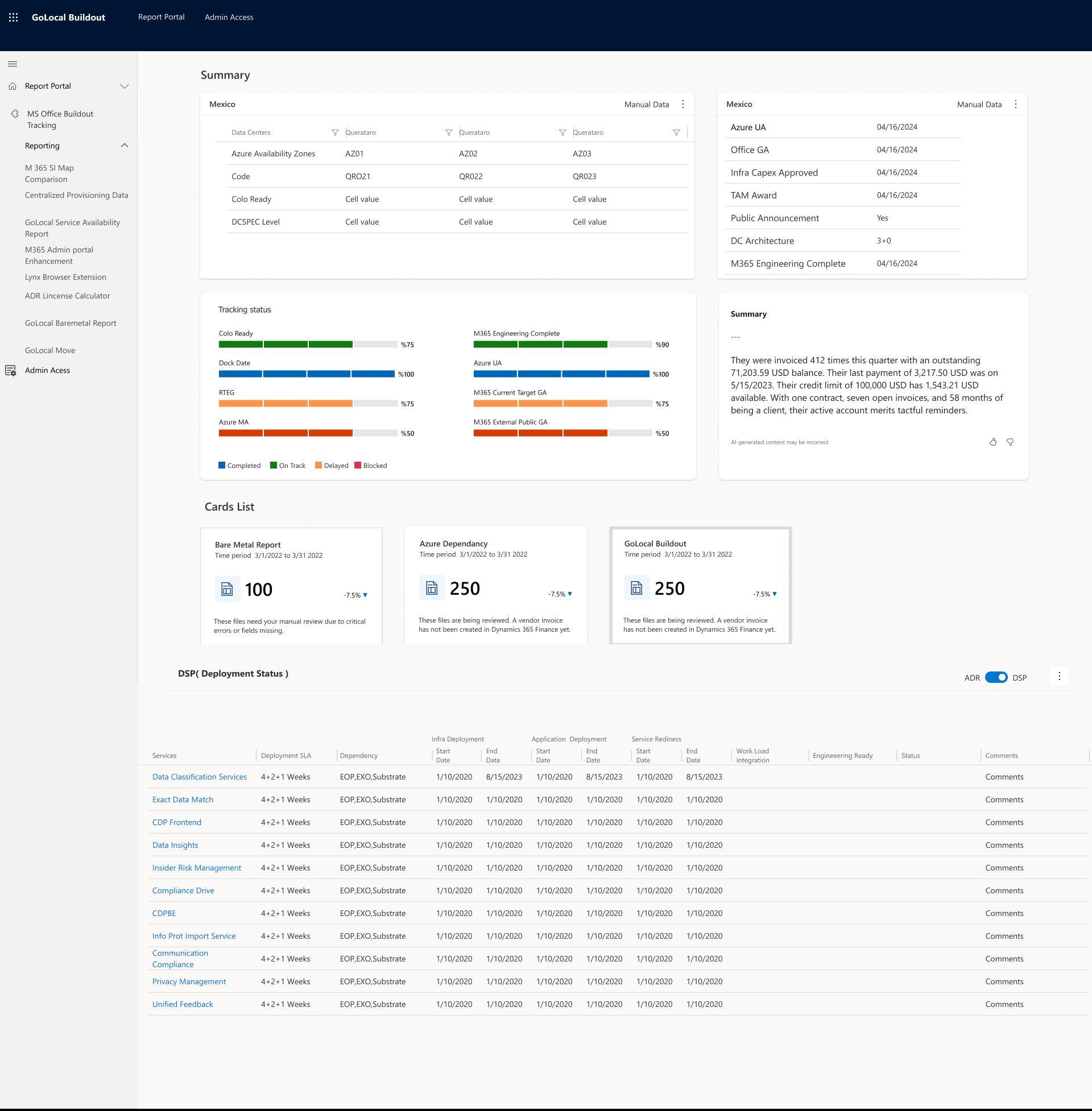
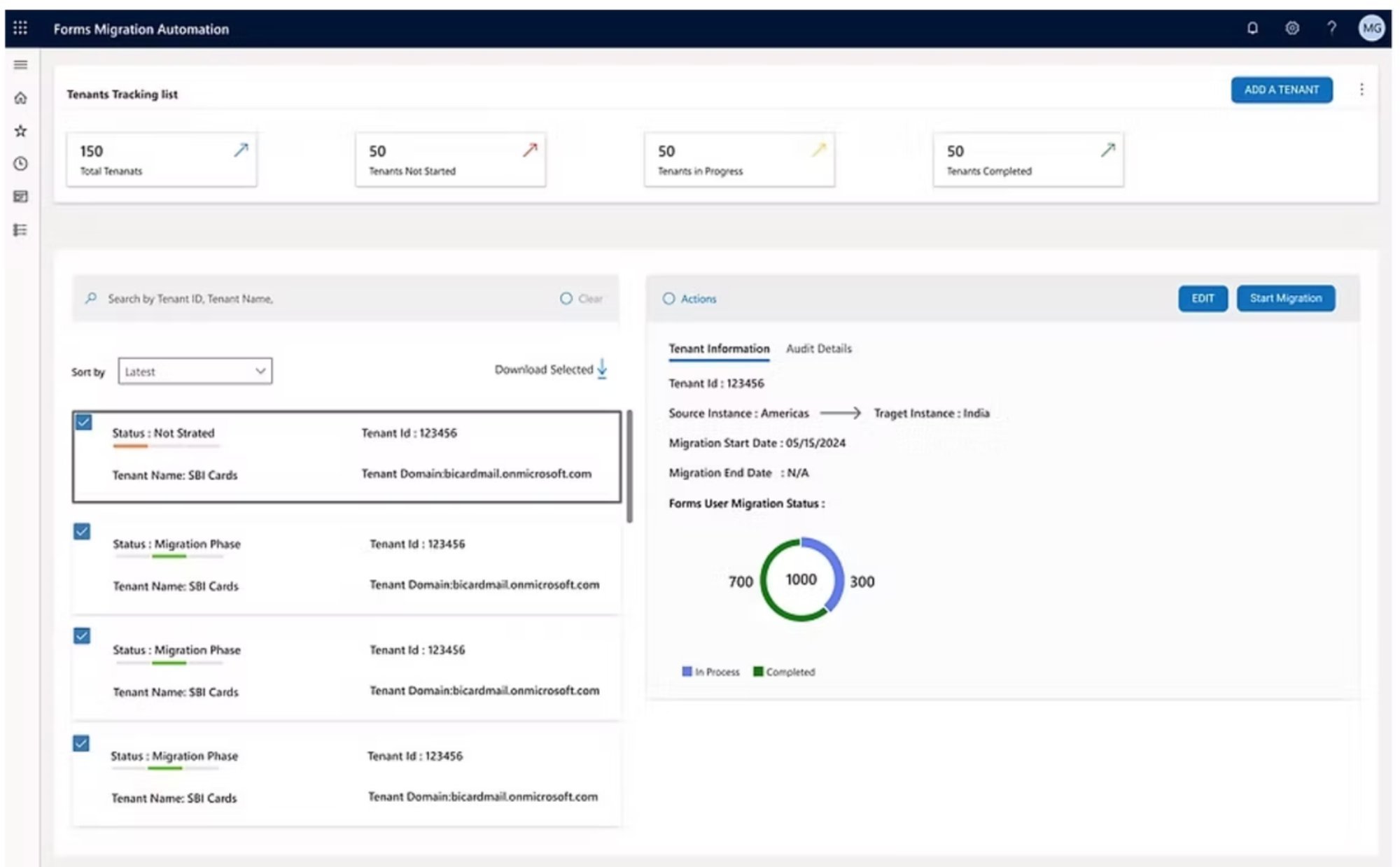
Integrated forms migration requirements, refined edge cases identified during sprint reviews, and completed accessibility audit. Final handoff to the 13-person engineering team with annotated specs and component documentation.
✓ Shipped. Engineering team implemented with zero design debt requests post-launch.
V1
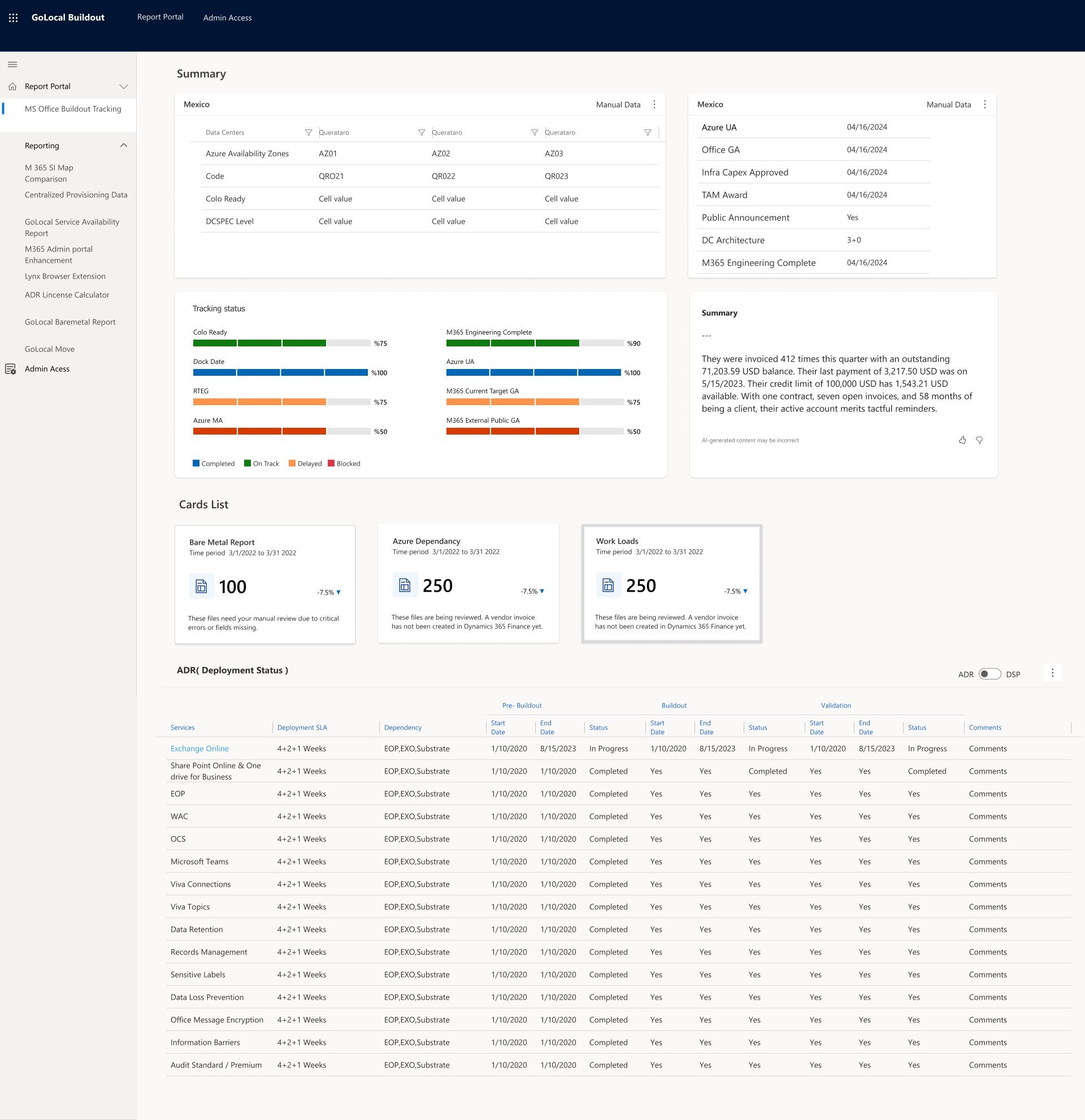
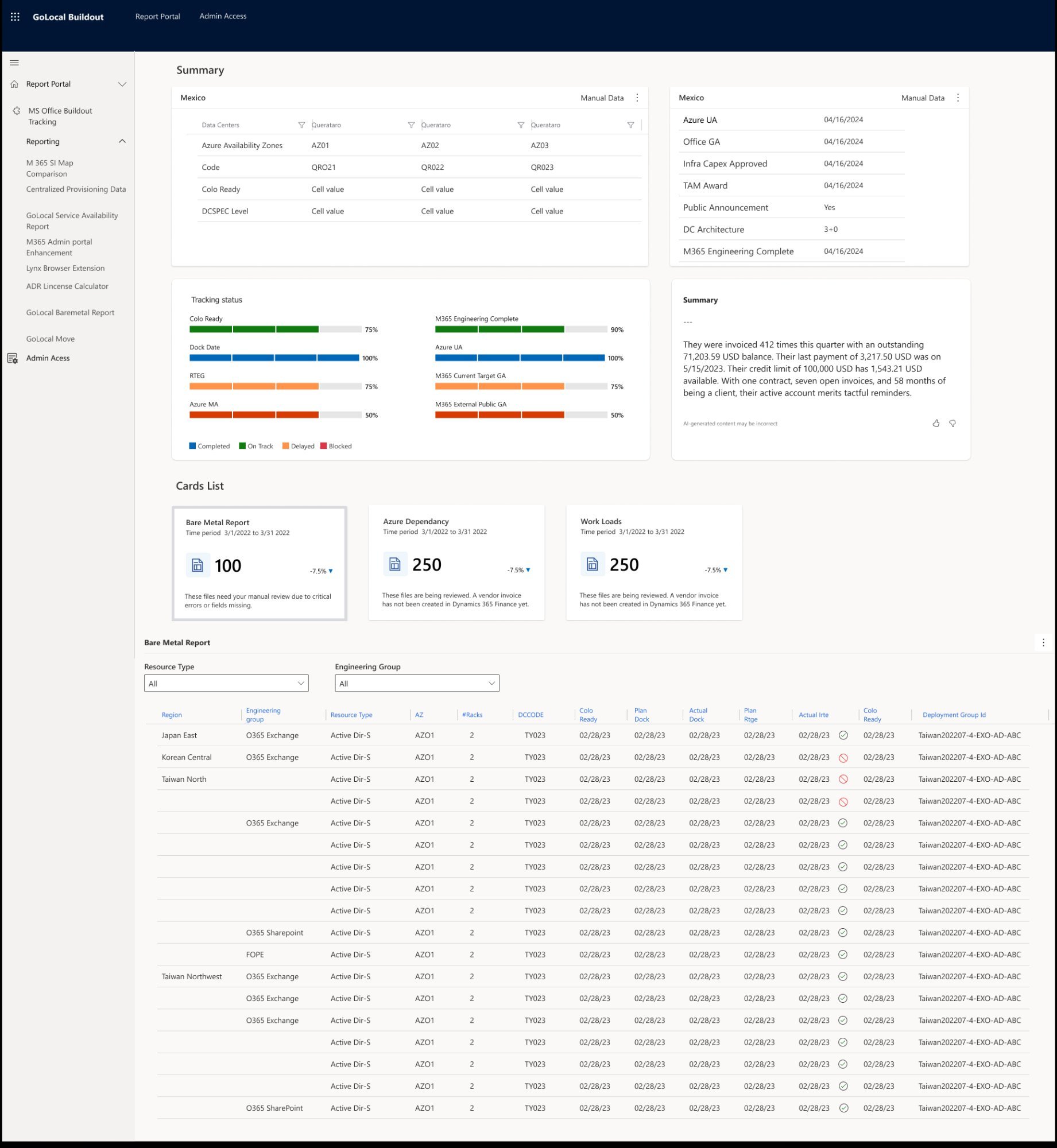
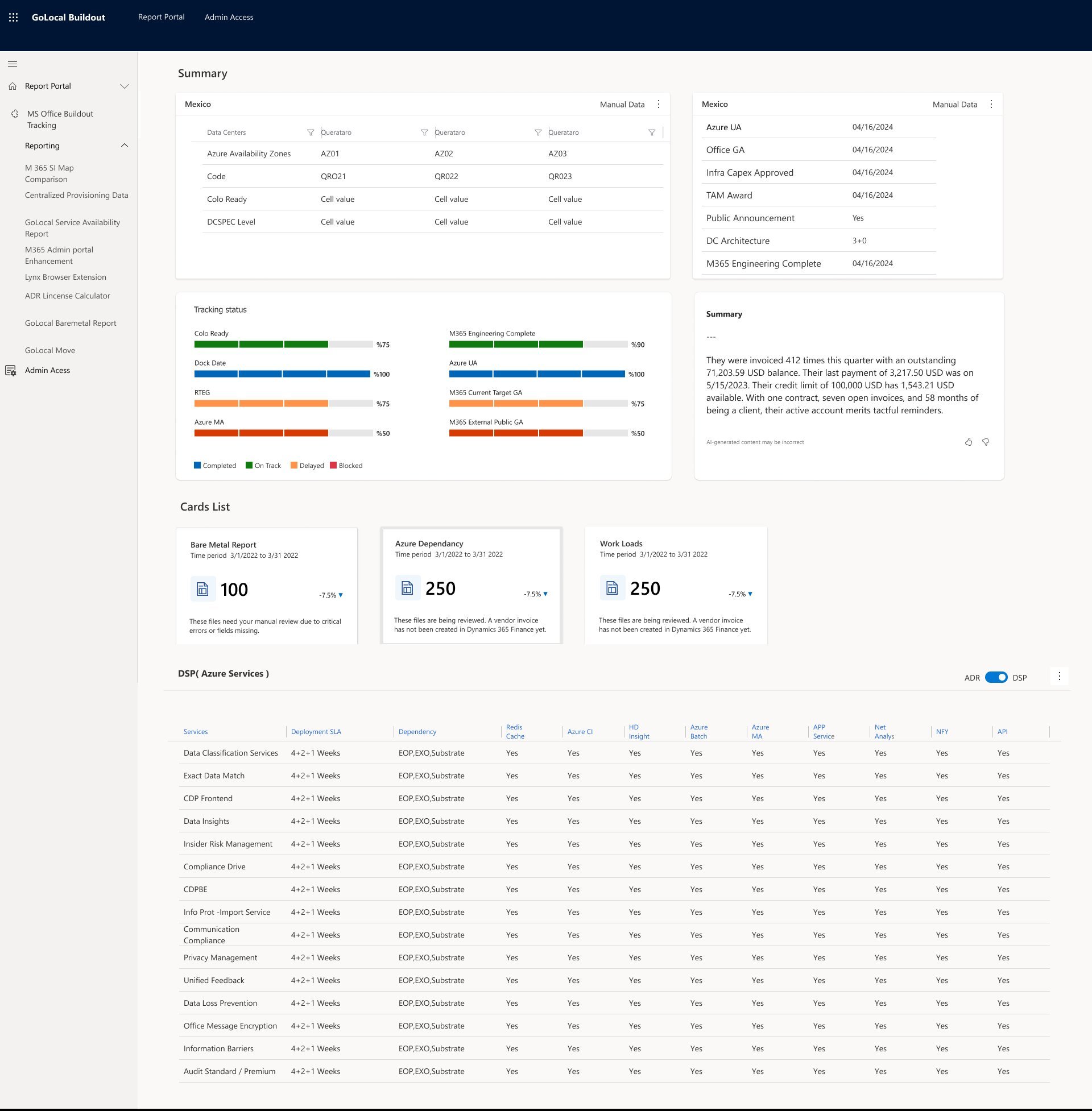
Dashboard V1 Low Fidelity
V1.2
Dashboard V1.2 Structure Refined
V2
Dashboard V2 Mid Fidelity
V3
Dashboard V3 High Fidelity
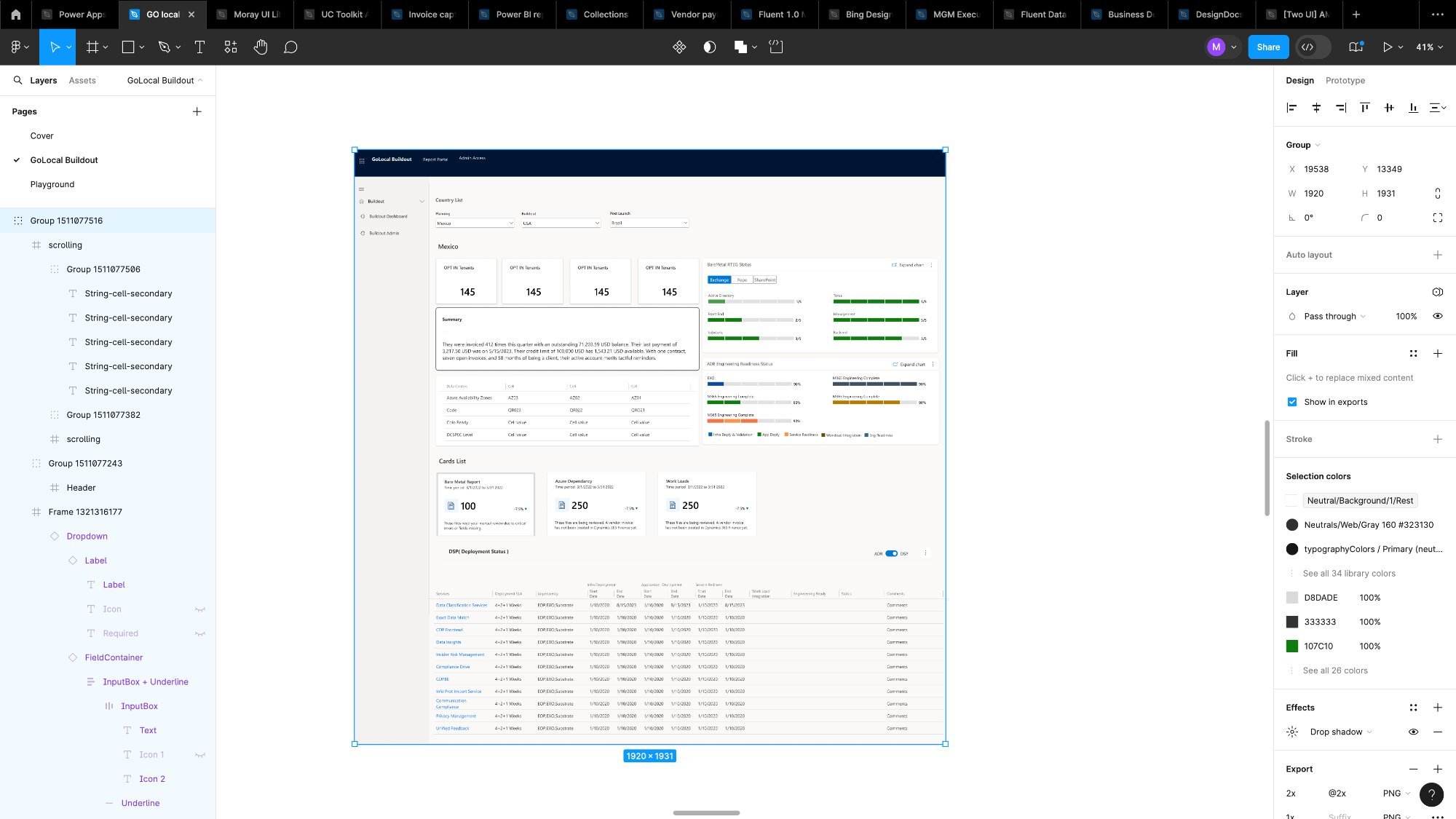
Final
GOLocal Buildout — Final Version ✓ Production Ready
Outcome — What changed after GOLocal shipped
// Outcome

What actually changed

The GOLocal Buildout tool wasn't just a design exercise — it was a tool that 13 people used every day to manage one of Microsoft's most complex global programs. Here's what it delivered.

🔍
Enhanced Transparency
Real-time, comprehensive views of deployment activities across 40+ countries — enabling proactive issue identification instead of reactive firefighting.
Improved Efficiency
Eliminated reliance on manual Excel reports and disparate tools. Decision-making that took hours of data consolidation now happened in minutes.
🌍
User Empowerment
Local teams in every market received tools tailored to their specific environments — fostering greater autonomy and reducing dependency on central reporting.
// Lessons Learned

What this project taught me

lesson_01
Research isn't optional on complex tools
Enterprise tools fail when designers assume they understand the workflow. The AEIOU framework surfaced requirements that no stakeholder meeting would have revealed.
lesson_02
Real-world testing with actual deployment data caught layout issues that looked fine in Figma. Don't test with placeholder content on data-dense tools.
Test with real data, always
lesson_03
Prototype as communication tool
The high-fidelity Figma prototype was the single biggest factor in getting fast stakeholder sign-off. Seeing is believing — especially with engineering teams.
"Designing for enterprise isn't about making things beautiful — it's about making complex information instantly readable for someone who's under pressure and needs to act fast. GOLocal Buildout was built for that person."
— Mahesh Guntivenkata, Product Designer
← all_projects next_project: Cisco →