Product Design · Enterprise UX
CiscoLearning.
Redesigning how 500,000+ IT professionals access training, certifications, and partner tools globally.
Role
Product Designer
Platform
Web · Partner Portal
System
Muse Design System
Tools
Figma · Miro
Measured Impact
25%
Task Completion Rate
↑ improvement after redesign
vs. previous platform baseline
18%
Platform Engagement
↑ increase across key partner markets
mobile usability scores improved
20%
Sign-Up Increase
↑ during initial usability testing
streamlined CLN onboarding flow
Scroll
"The Cisco Learning Network had the content. It just didn't have the design to match its ambition."
The Problem

A platform fighting itself

The Cisco Learning Network served hundreds of thousands of IT professionals worldwide — but the experience was actively working against them. High bounce rates, abandoned sessions, and frustrated users calling support told a clear story: the design was the problem, not the content.

Visual Chaos
Inconsistent fonts, clashing colors, and competing visual elements overwhelmed users on first load. Trust eroded instantly.
🔍
Navigation Failure
Users couldn't find courses or certification paths. High bounce rates and low time-on-page metrics confirmed the breakdown.
📊
No Data Visibility
Teams had no real-time insight into how users moved through the platform. Decisions were made on assumptions, not evidence.
🤝
Partner Friction
The Learning Partner Experience page forced partners through a maze of steps to access training purchases and certification tools.
My Approach

Research first.
Always.

Before touching Figma, I spent time understanding why users were failing — not just what they were doing wrong. This meant direct research, data analysis, and building a shared vision with stakeholders before a single pixel moved.

01
User Research & Surveys
Conducted interviews and surveys with IT professionals across experience levels — beginners looking for starter courses to senior engineers hunting advanced certification tracks. Created detailed user personas to capture each group's distinct needs.
Key finding: 73% of users couldn't locate their target certification path within 2 minutes. Navigation was the #1 complaint — not content quality.
02
Analytics Deep Dive
Analyzed site data to quantify what users were telling us qualitatively. High bounce rates, low time-on-page, and drop-off at key navigation moments confirmed the design's negative impact on the business.
Decision made: Prioritize navigation clarity over visual richness. Engagement must come from utility first, aesthetics second.
03
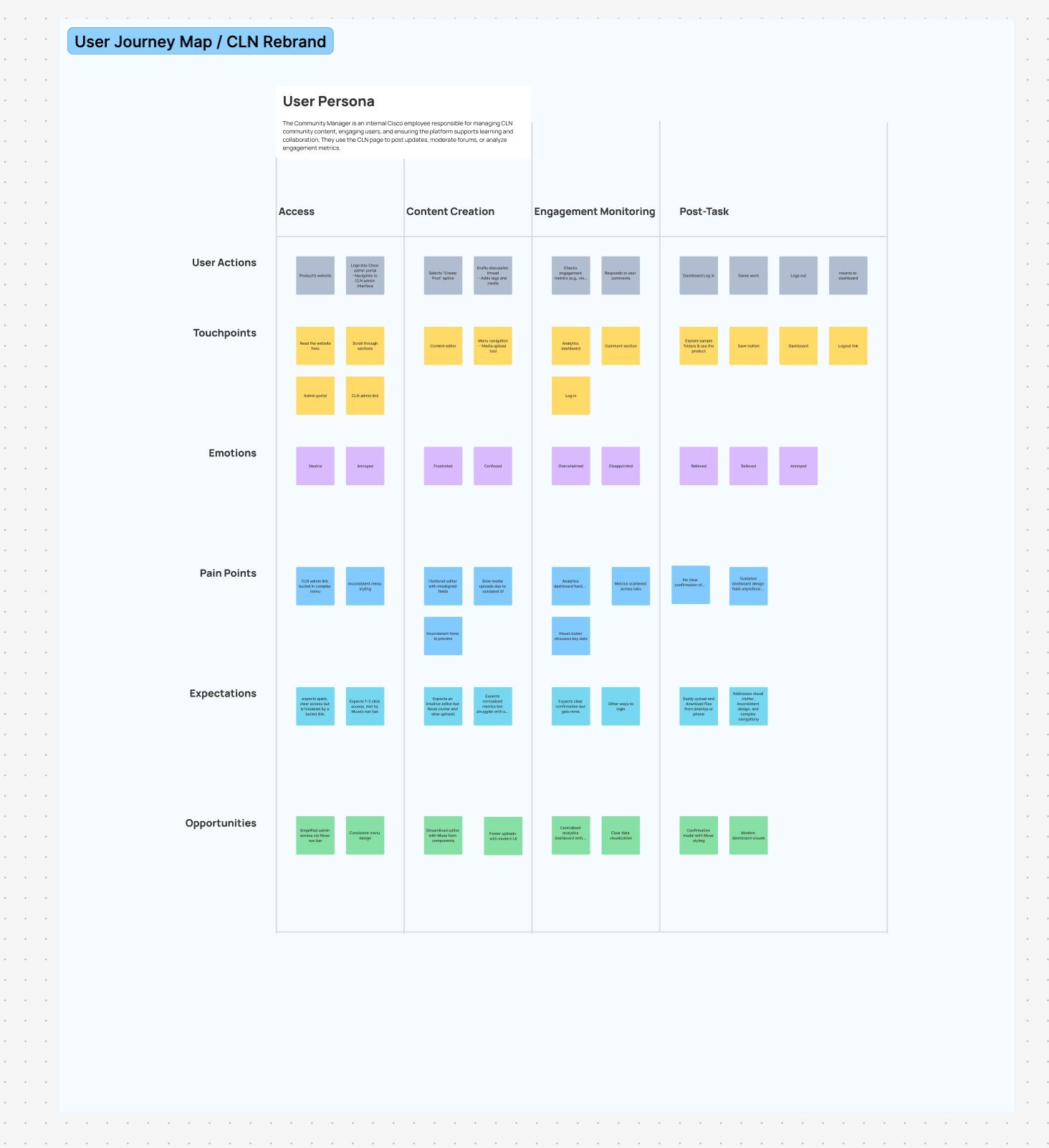
User Journey Mapping
Built a comprehensive 5-stage journey map (Awareness → Consideration → Engagement → Retention → Advocacy) in Miro with cross-functional teams. Identified emotional highs and lows at every touchpoint.
Insight: Users felt "capable and excited" when they found relevant content — but that moment came too late in the journey. We needed to surface value faster.
04
Stakeholder Alignment
Collaborated with Cisco's learning team, product managers, and marketing to align on project goals, design constraints, and content system compatibility. Co-created the moodboard to establish shared visual direction before any design work began.
Result: Zero redesign requests from stakeholders after final presentation. Alignment upfront eliminated last-minute pivots.
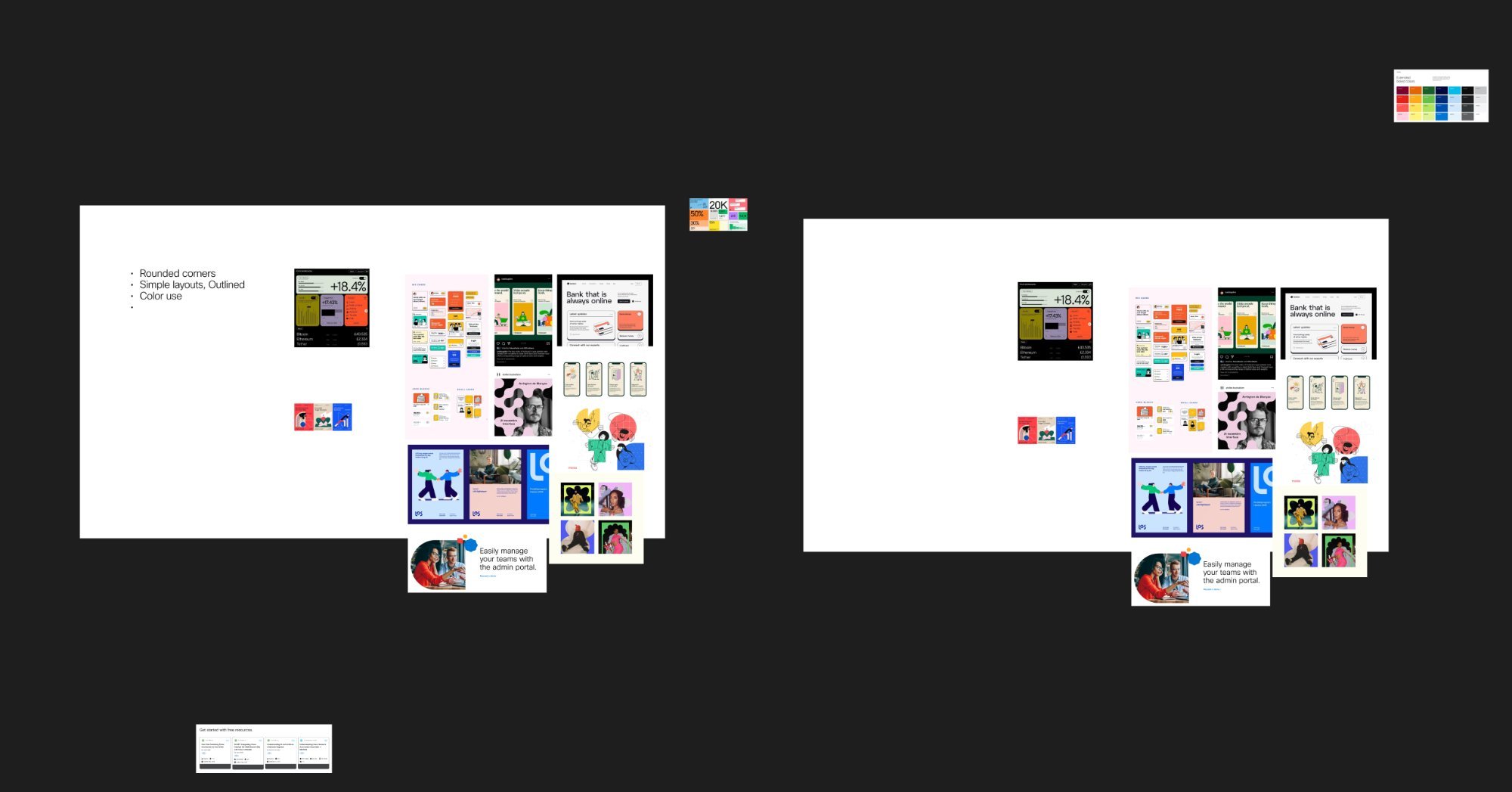
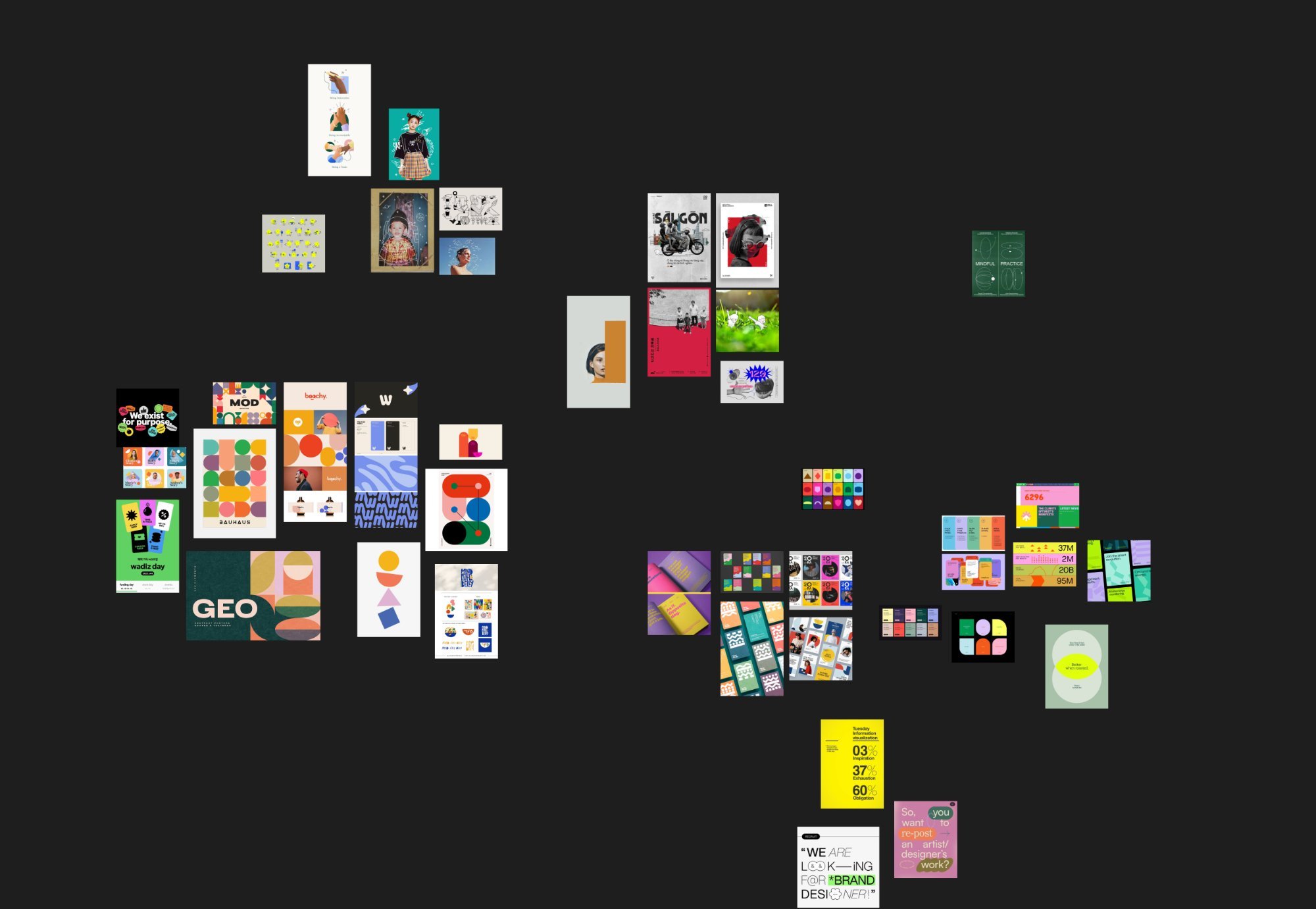
Moodboard
Stakeholder Moodboard CLN Rebrand
Research
User Research Synthesis Clarify Phase
Design System

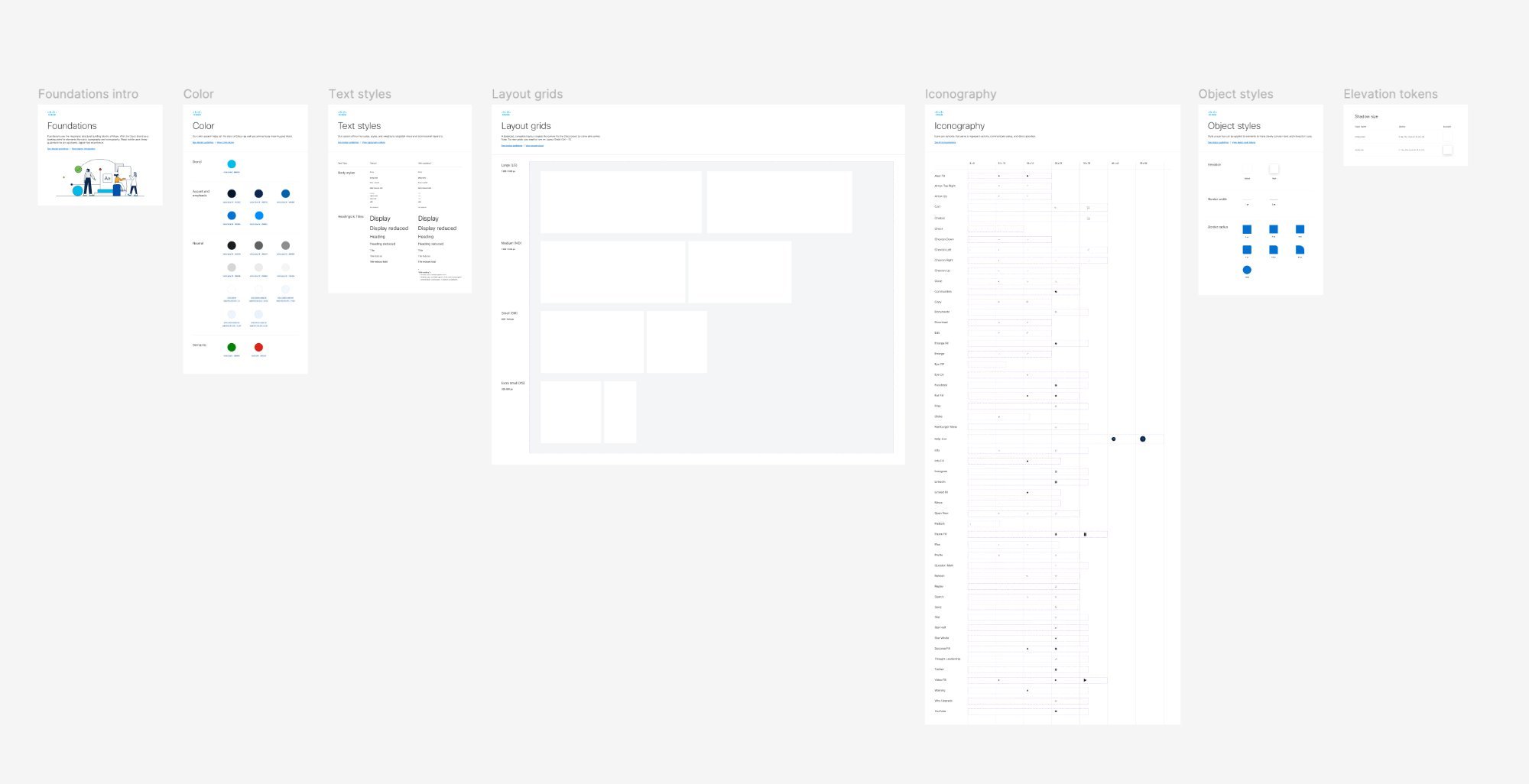
Working within Muse

Cisco's Muse Design System wasn't a constraint — it was a superpower. Rather than building from scratch, I leveraged Muse's battle-tested components and pushed the boundaries where user needs demanded it. Every deviation was documented and justified.

Cisco Sans Typography
Cisco Blue #005566
WCAG 2.1 Accessibility
Responsive Grid System
Reusable Components
Motion & Micro-interactions
Dark / Light Themes
Keyboard Navigation
Muse Intro
Muse System Overview Introduction
Muse Color
Color System Brand Palette
Muse Type
Typography Scale Cisco Sans
Components
Reusable Components Navigation & Cards
Components 2
UI Component Library Built in Figma
Design Exploration

Four concepts.
One clear winner.

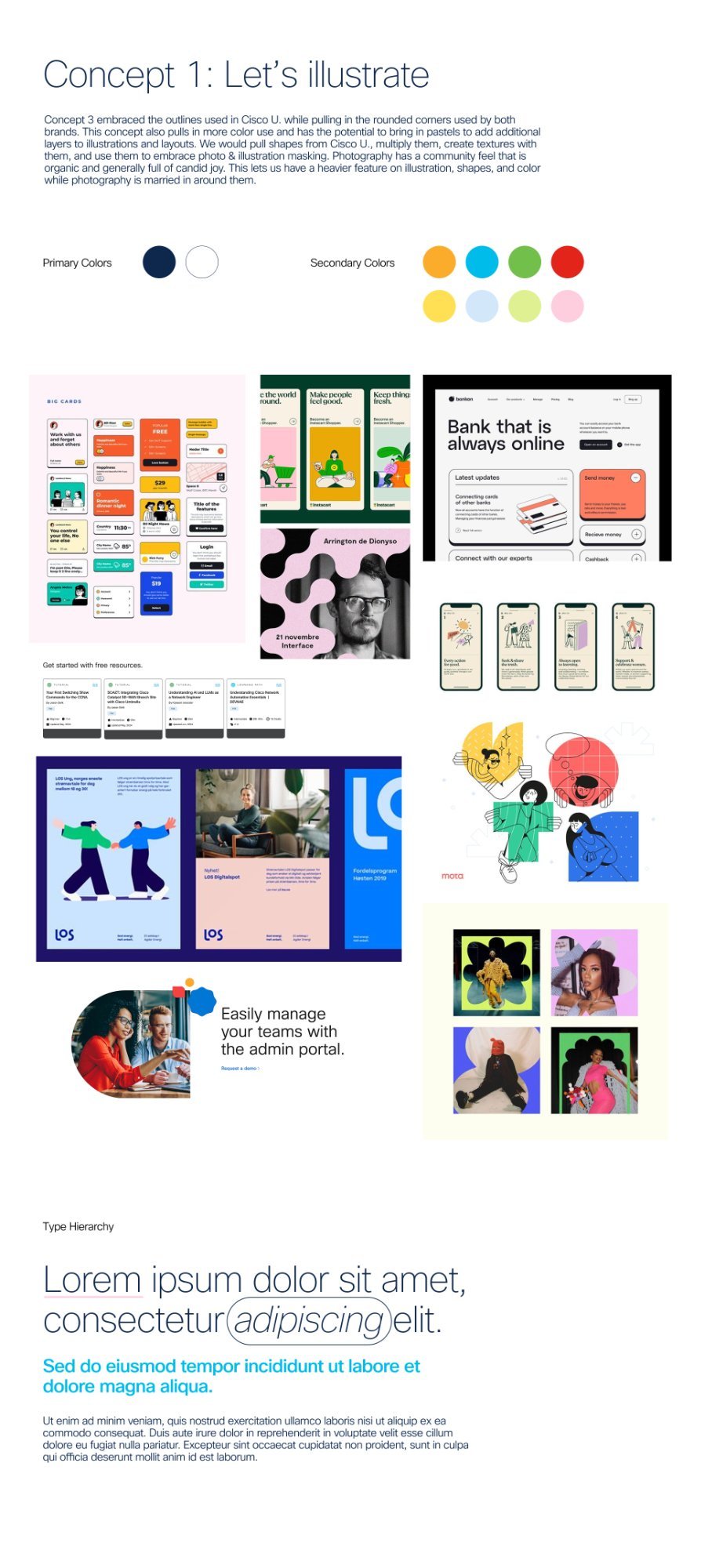
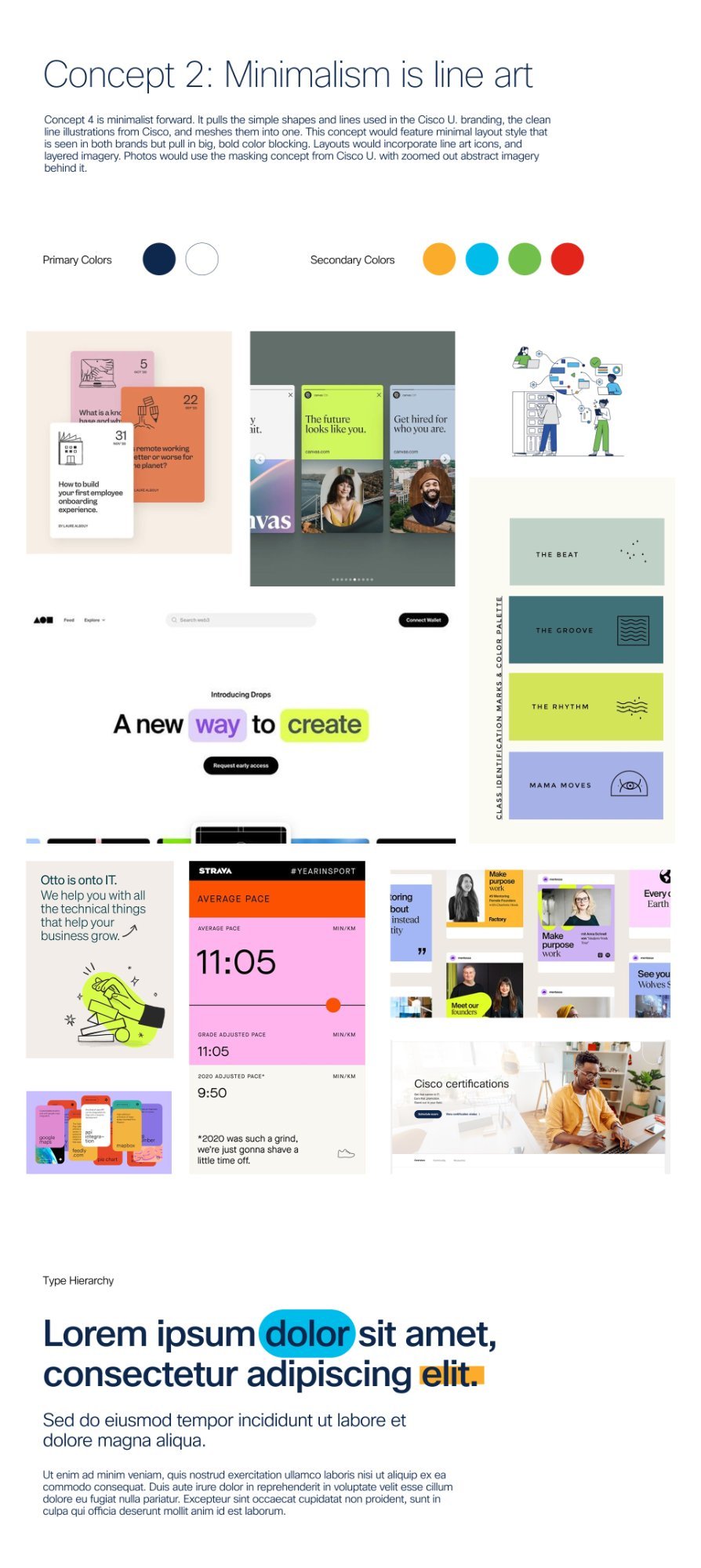
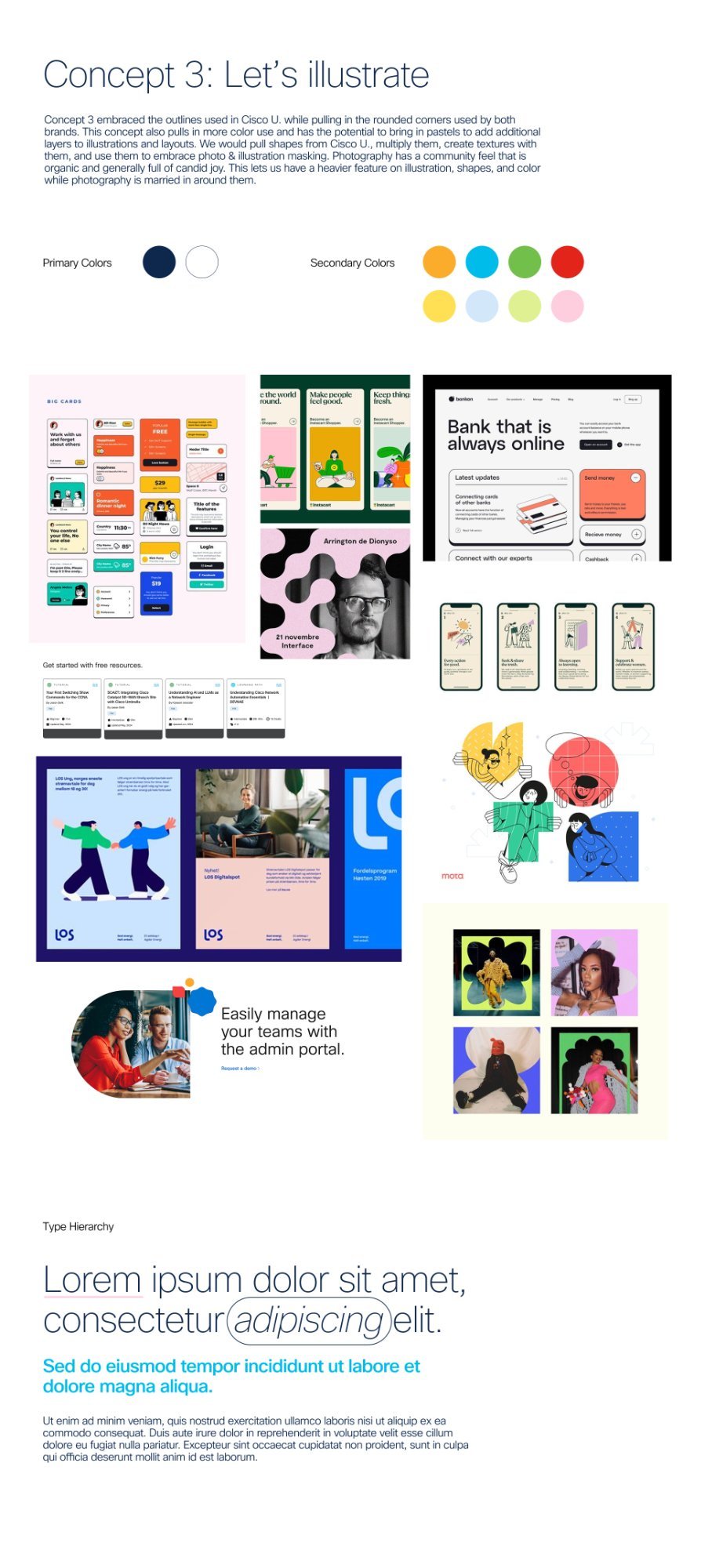
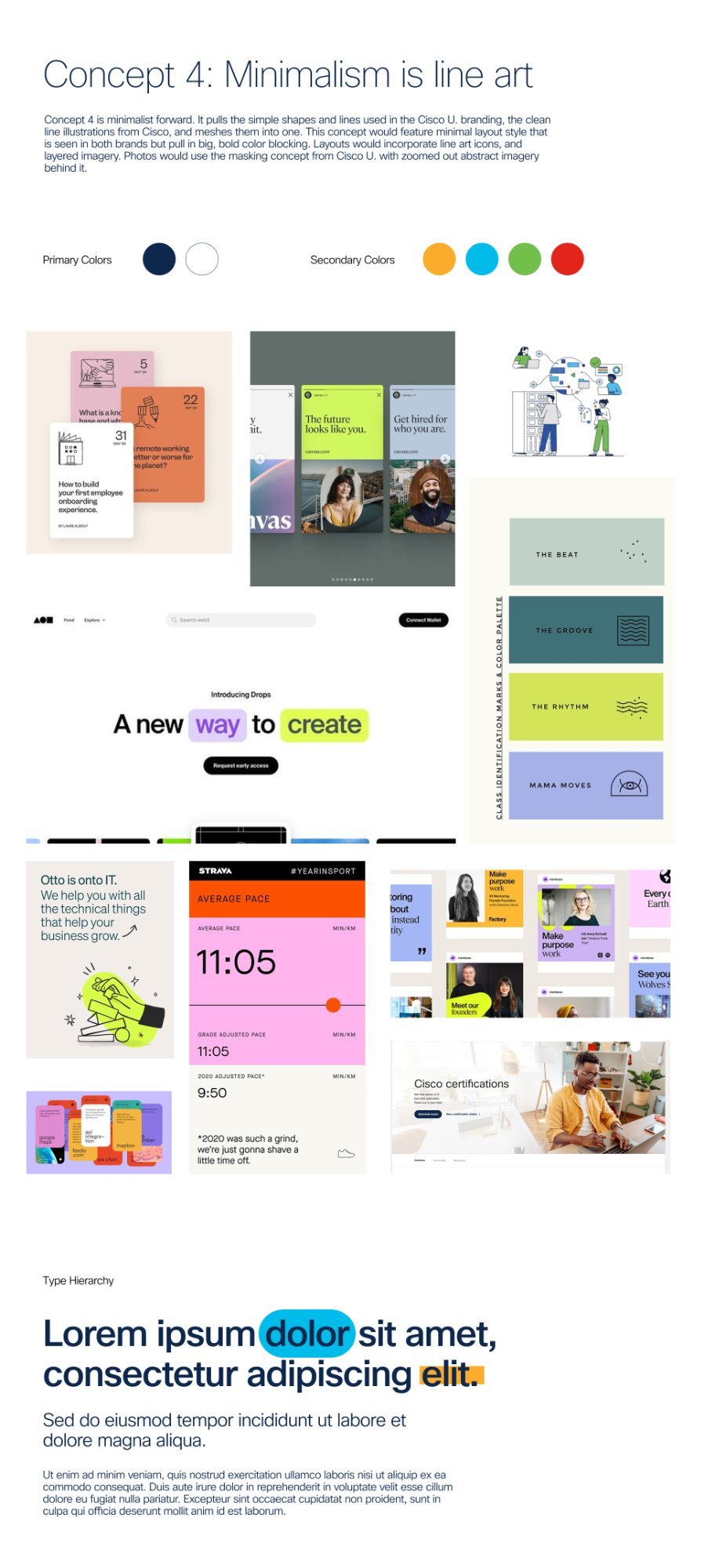
Rather than presenting one direction and defending it, I created four distinct concepts each with different visual philosophies. This gave stakeholders real choices and generated better, more specific feedback than "I'd change this" conversations.

Concept 1
Concept 1 Professional Structure
Concept 2
Concept 2 Content First
Concept 3
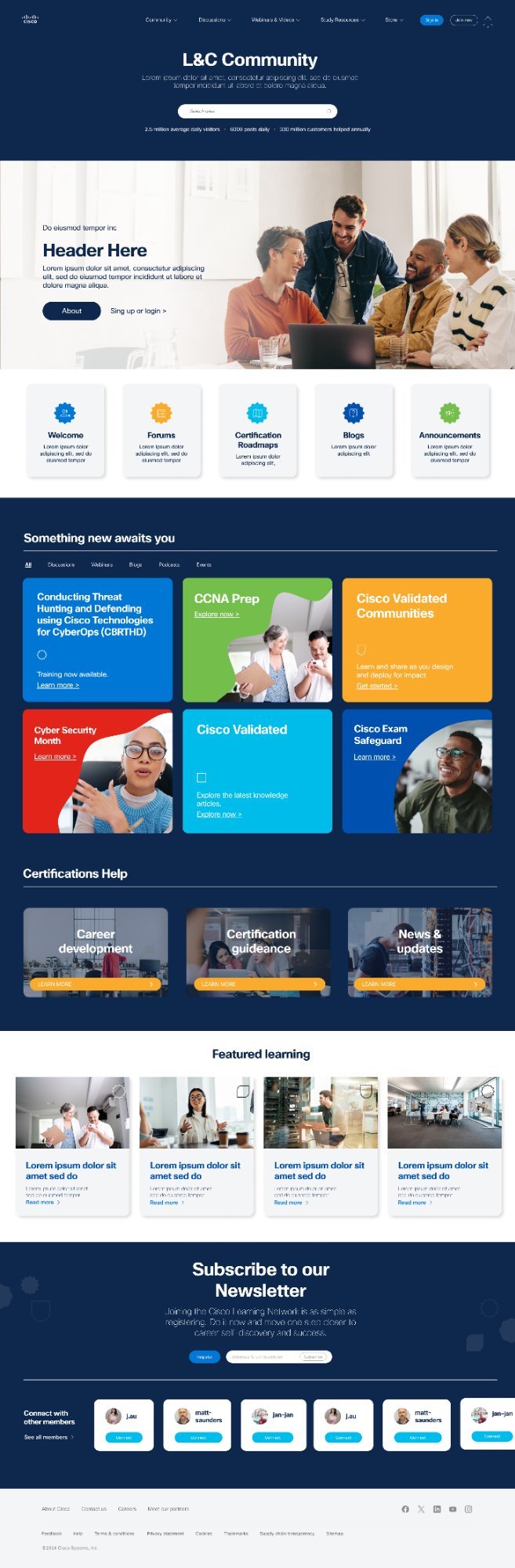
Concept 3 — Selected ✓ Bold & Community-Driven
Concept 4
Concept 4 Minimal & Clean
Iteration Process

Three versions.
Each one smarter.

I didn't just iterate visually — each version responded directly to stakeholder feedback and user testing data. The evolution from V1 to V3 is a story of listening, deciding, and executing.

Version 01
Bold & Exploratory
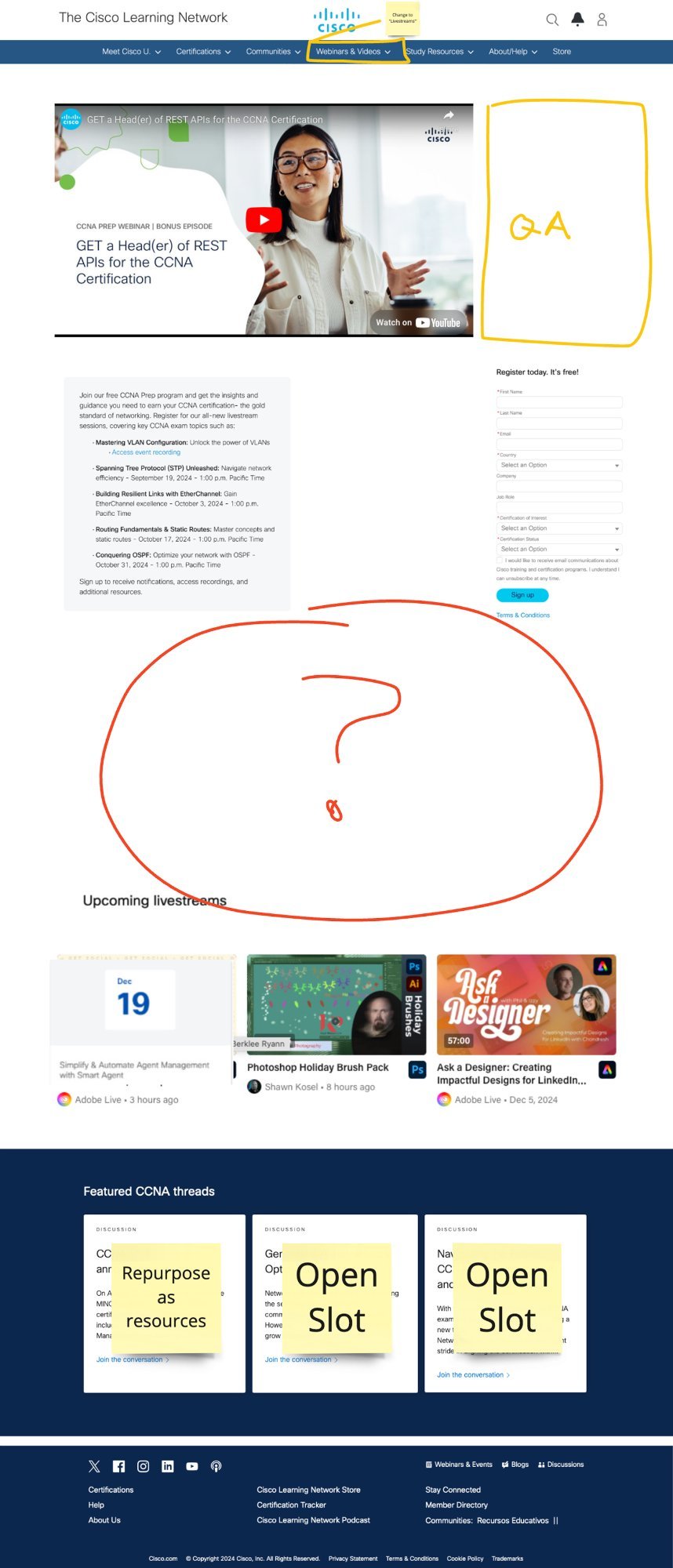
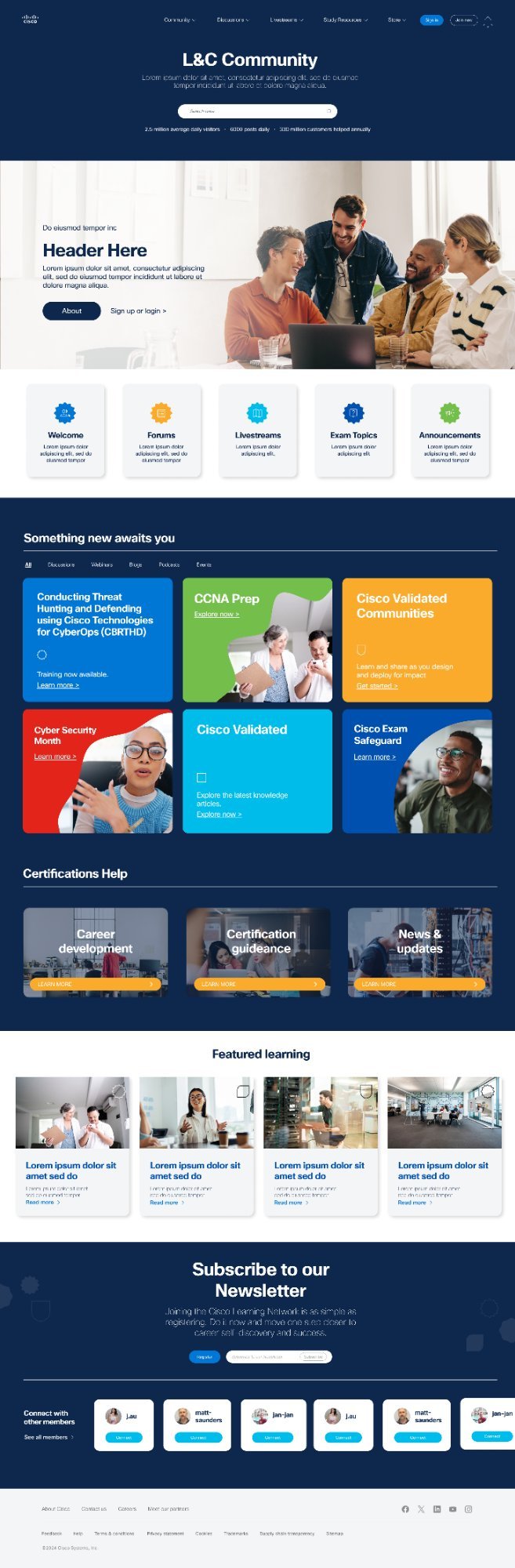
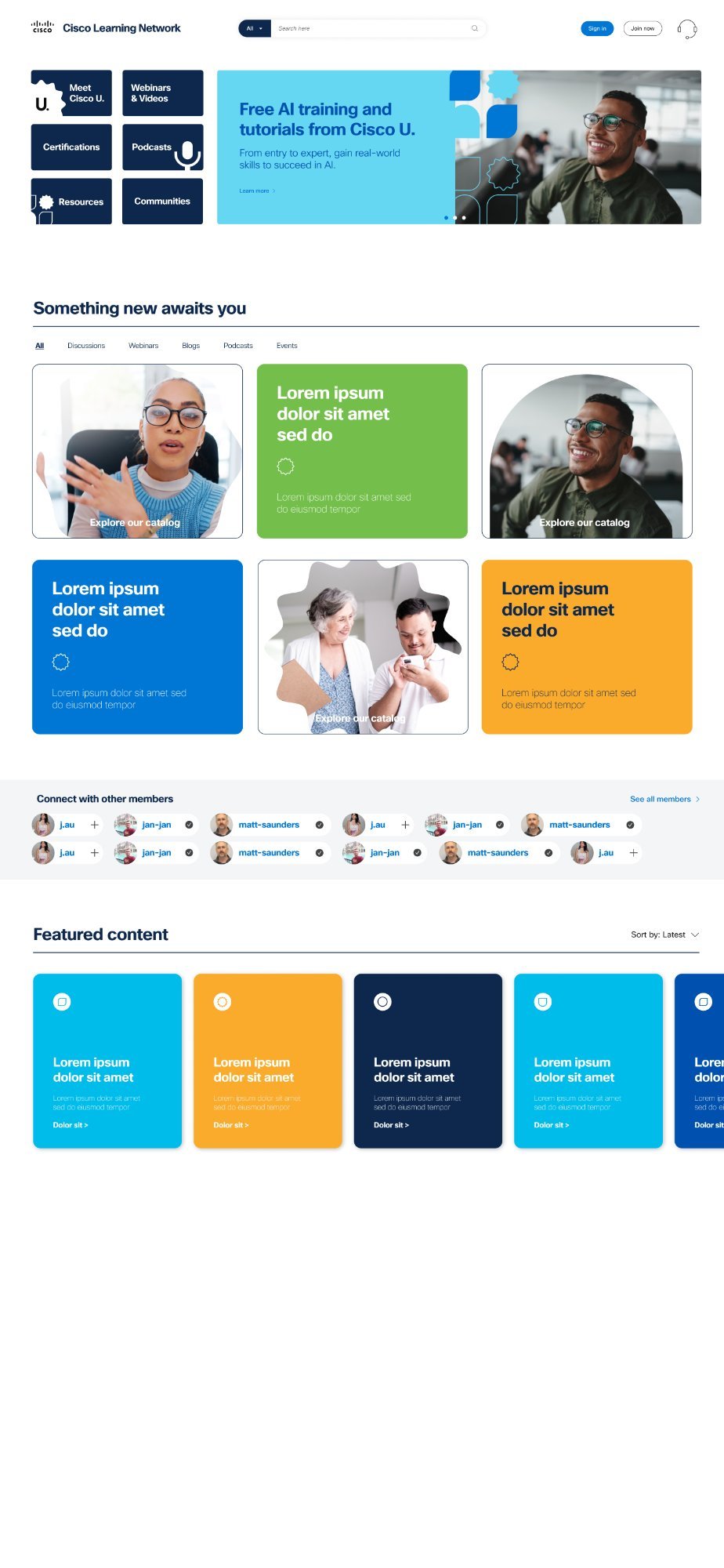
Introduced vibrant tile-based navigation, heavy blues, and bold AI training callouts. Successfully established a modern feel but stakeholder reviews confirmed: too busy, competing entry points, overwhelming color.
Feedback: "Too much happening — simplify"
Version 02
Refined & Structured
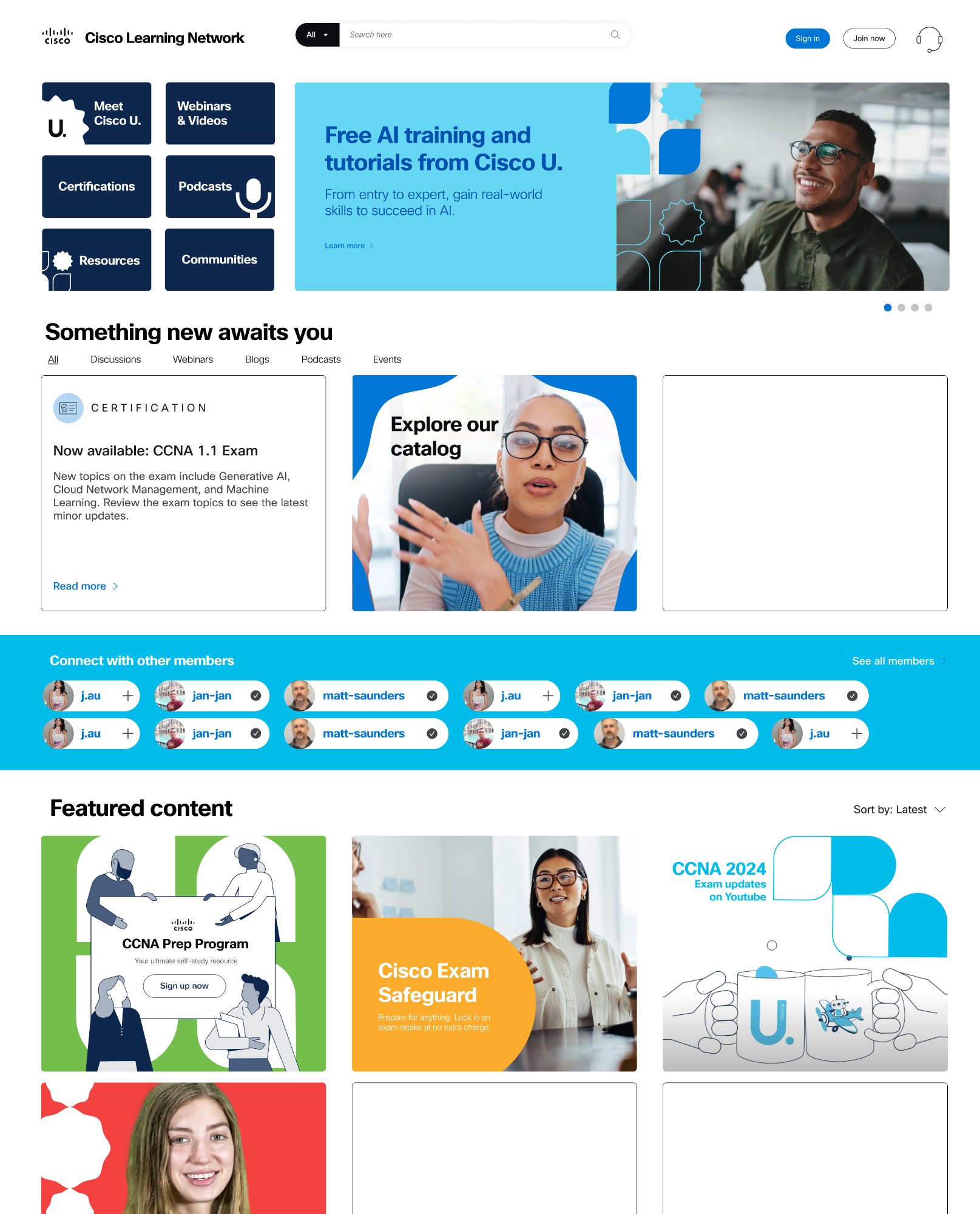
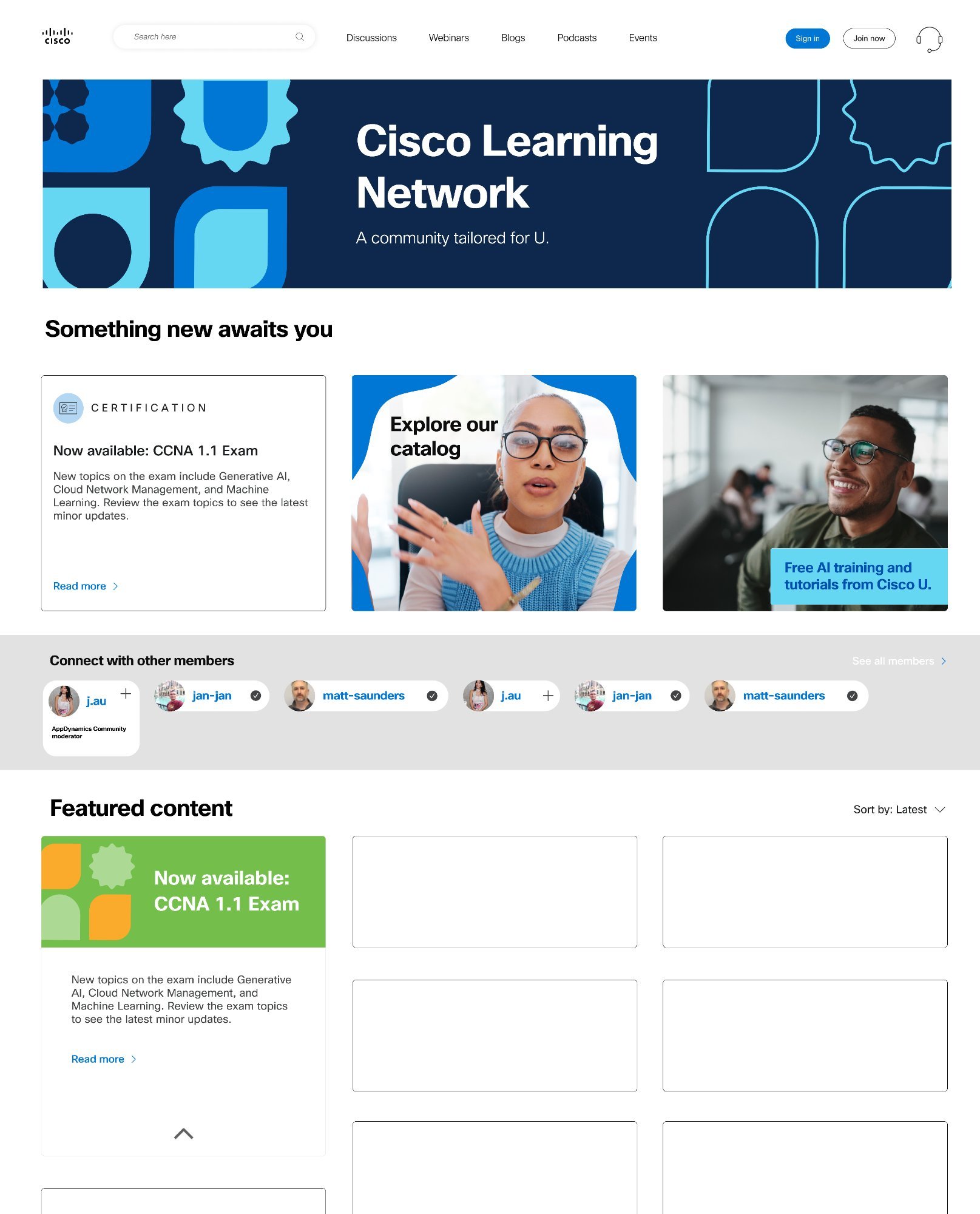
Replaced tile navigation with standard top nav. Calmer hero section. Streamlined community area. Reduced redundancy. Better readability and professional tone. Well-received but needed more brand emotion and polish.
Feedback: "Getting there — add warmth"
Version 03 — Final ✓
Cohesive & Human
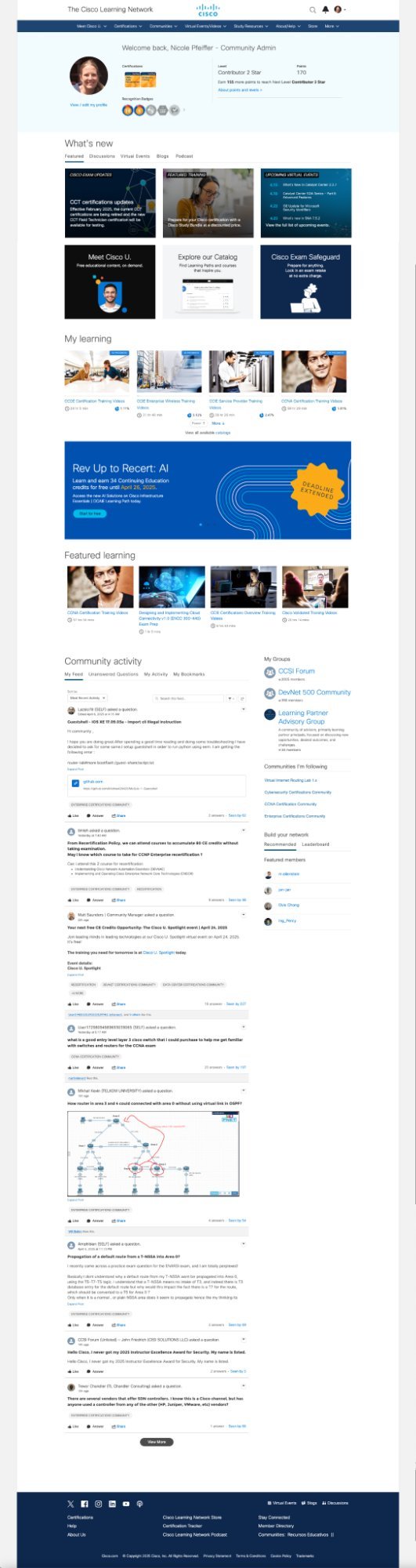
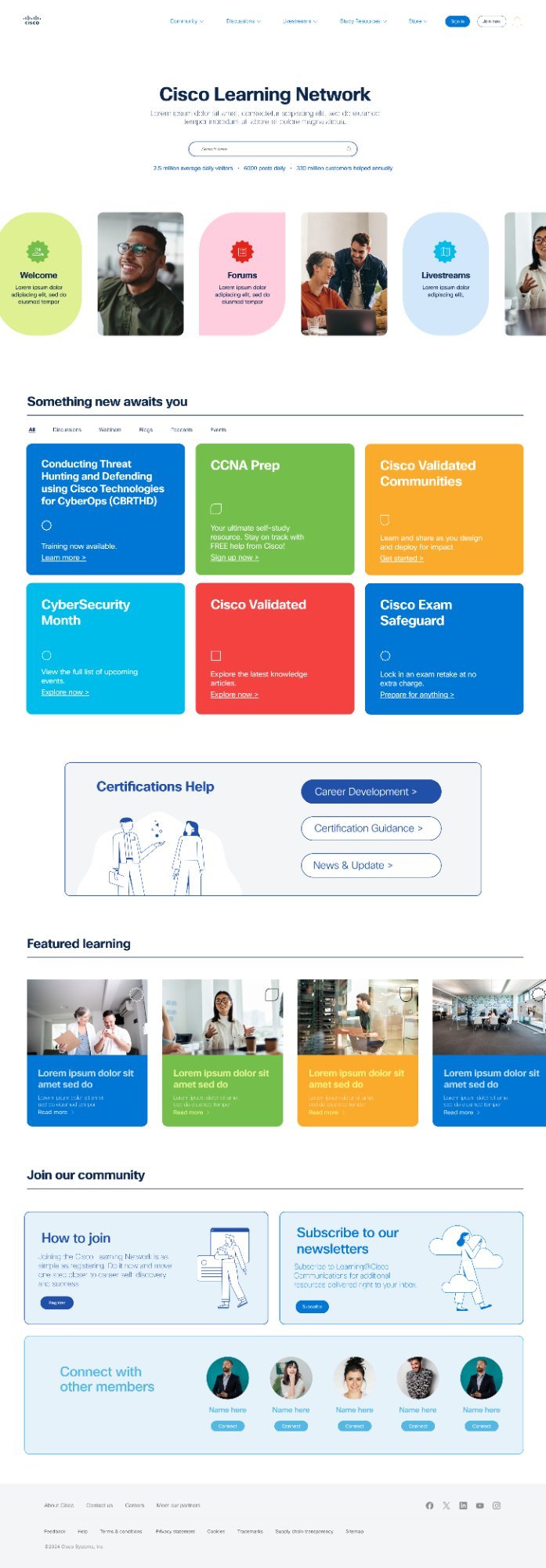
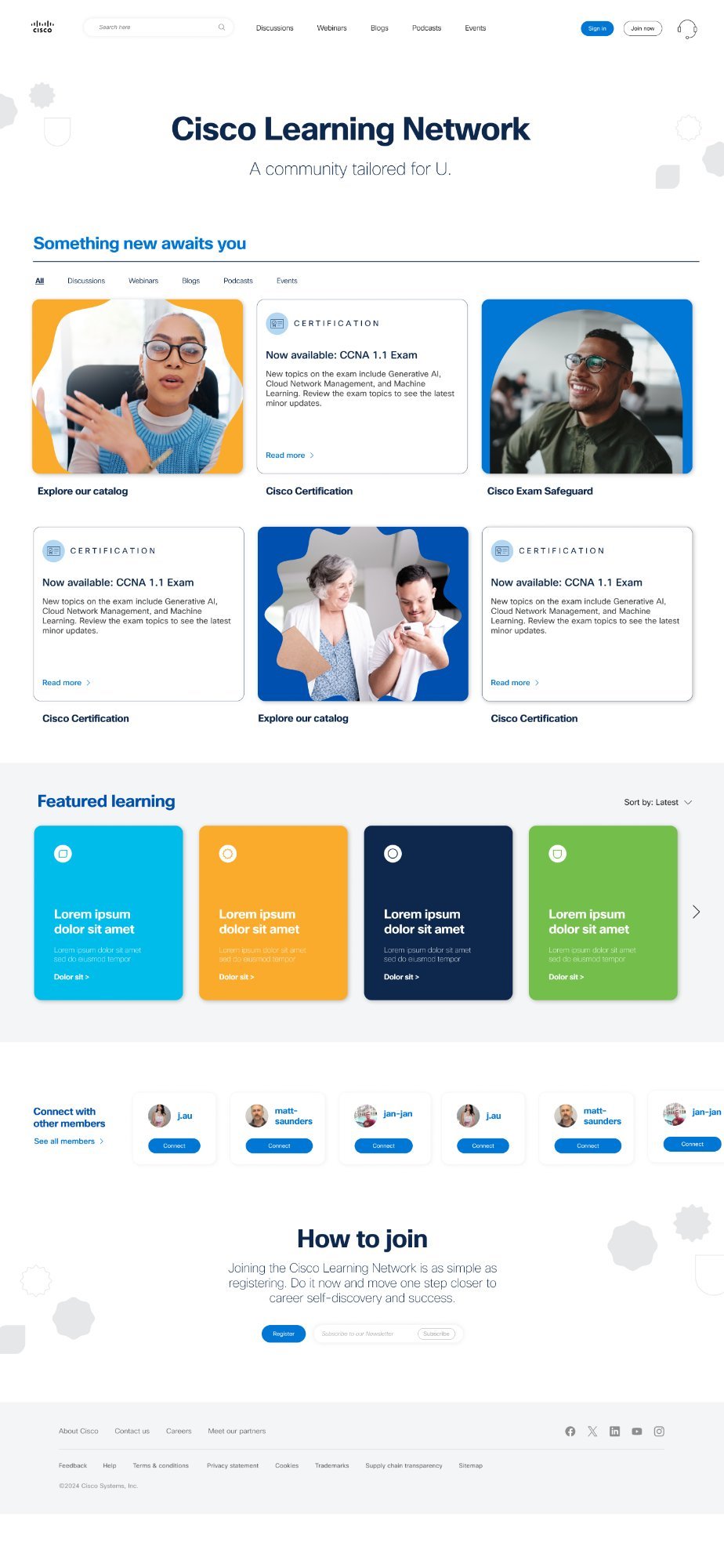
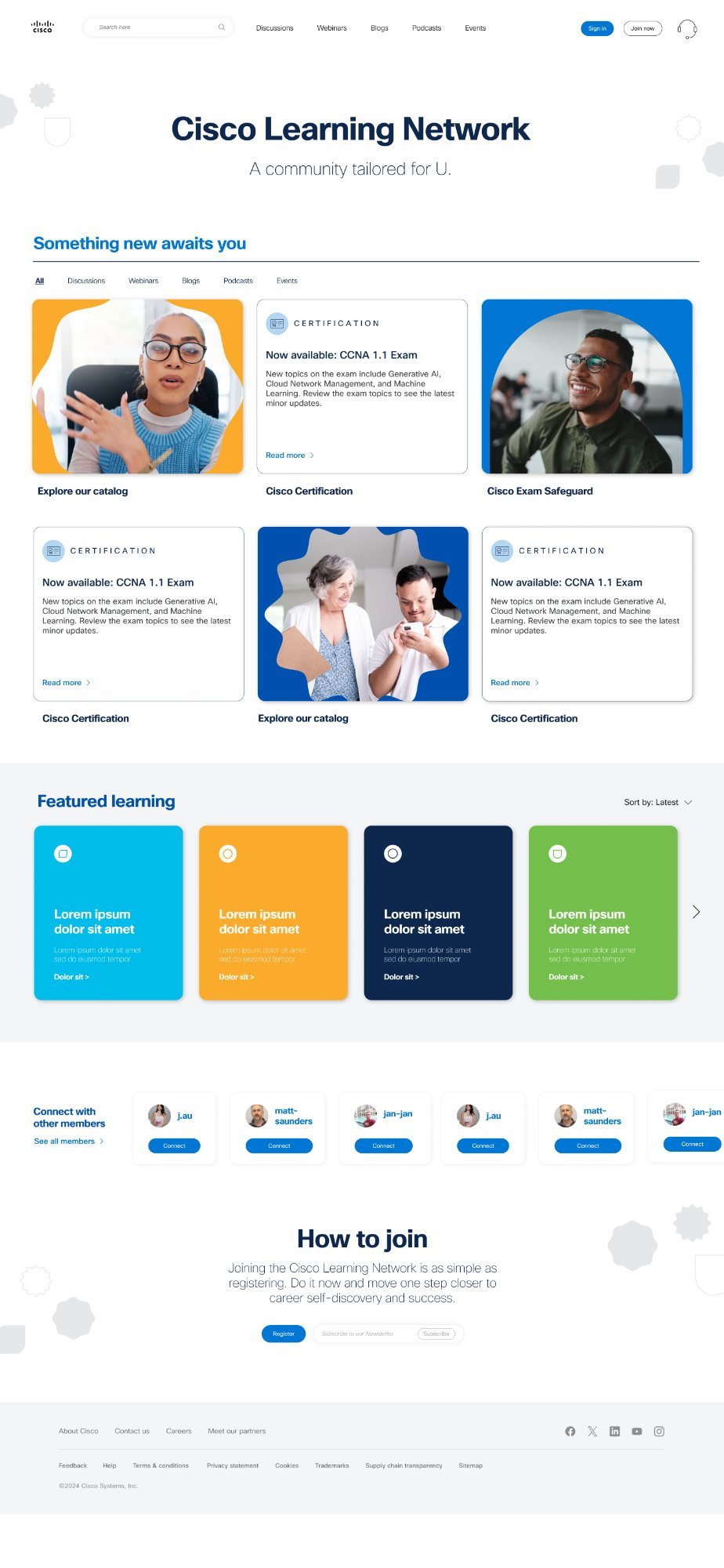
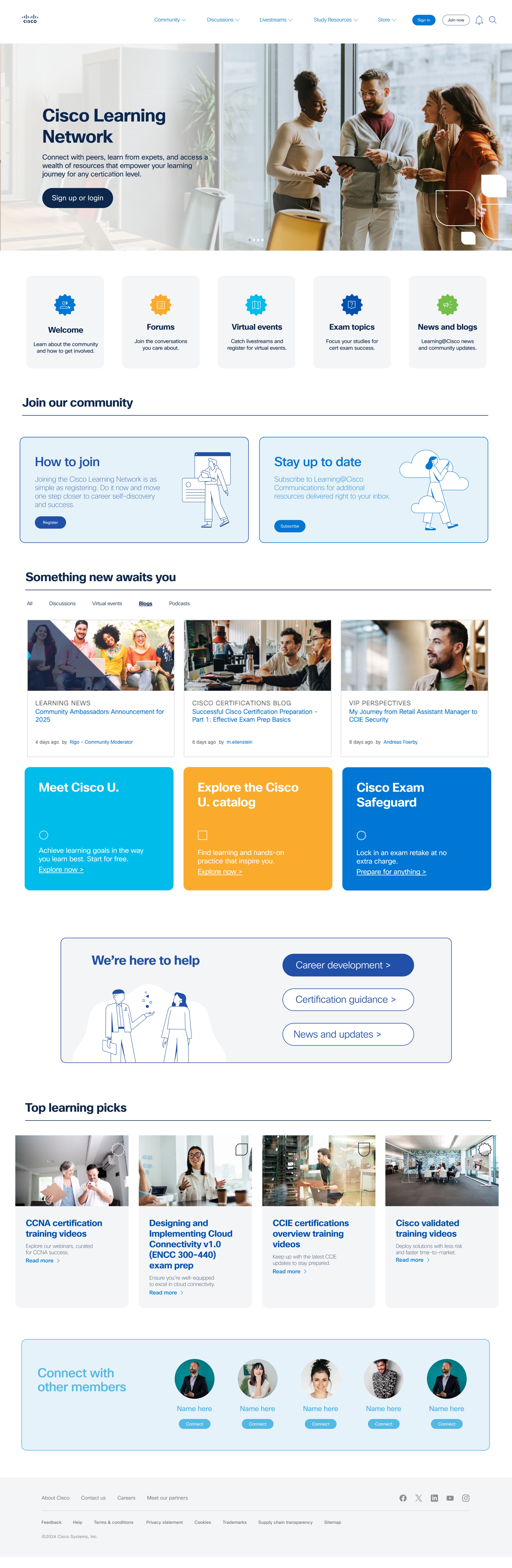
Clean white space, organic shapes, soft palette. Strong focus on learning and community. Featured Learning, Cisco Certification, and Connect sections leading users intuitively. Warm CTA closing the journey. Scalable component-driven system ready for dev.
Stakeholder response: "This is it."
V1 Mockup
CLN Version 1 Too Much Energy
V3 Mockup
CLN Version 3 — Final Just Right
The Transformation

Before & After

The most honest way to show the impact of design work. Side by side, the difference is undeniable.

Before
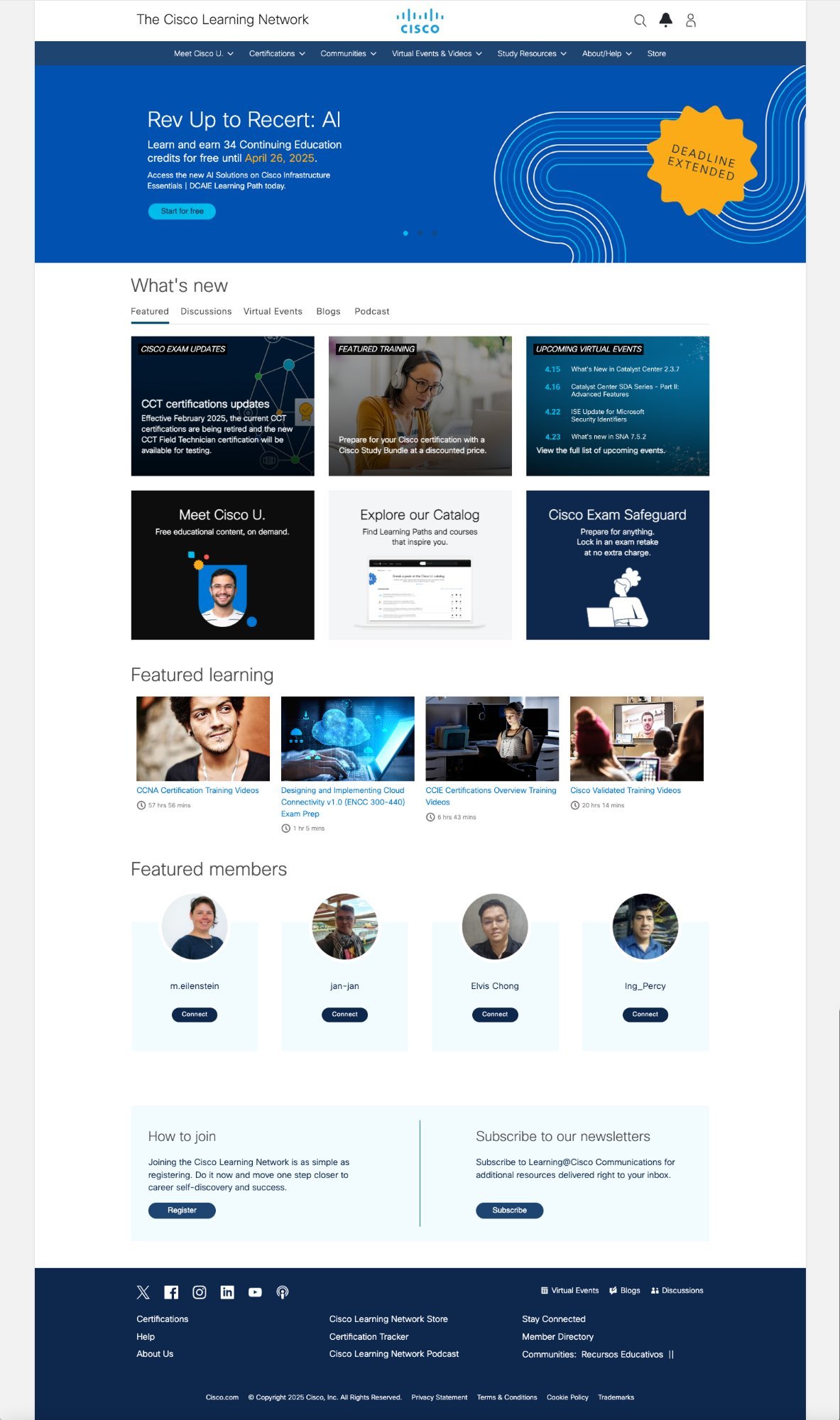
Old CLN
After
New CLN
Light Mode
Final — Light Mode Primary Experience
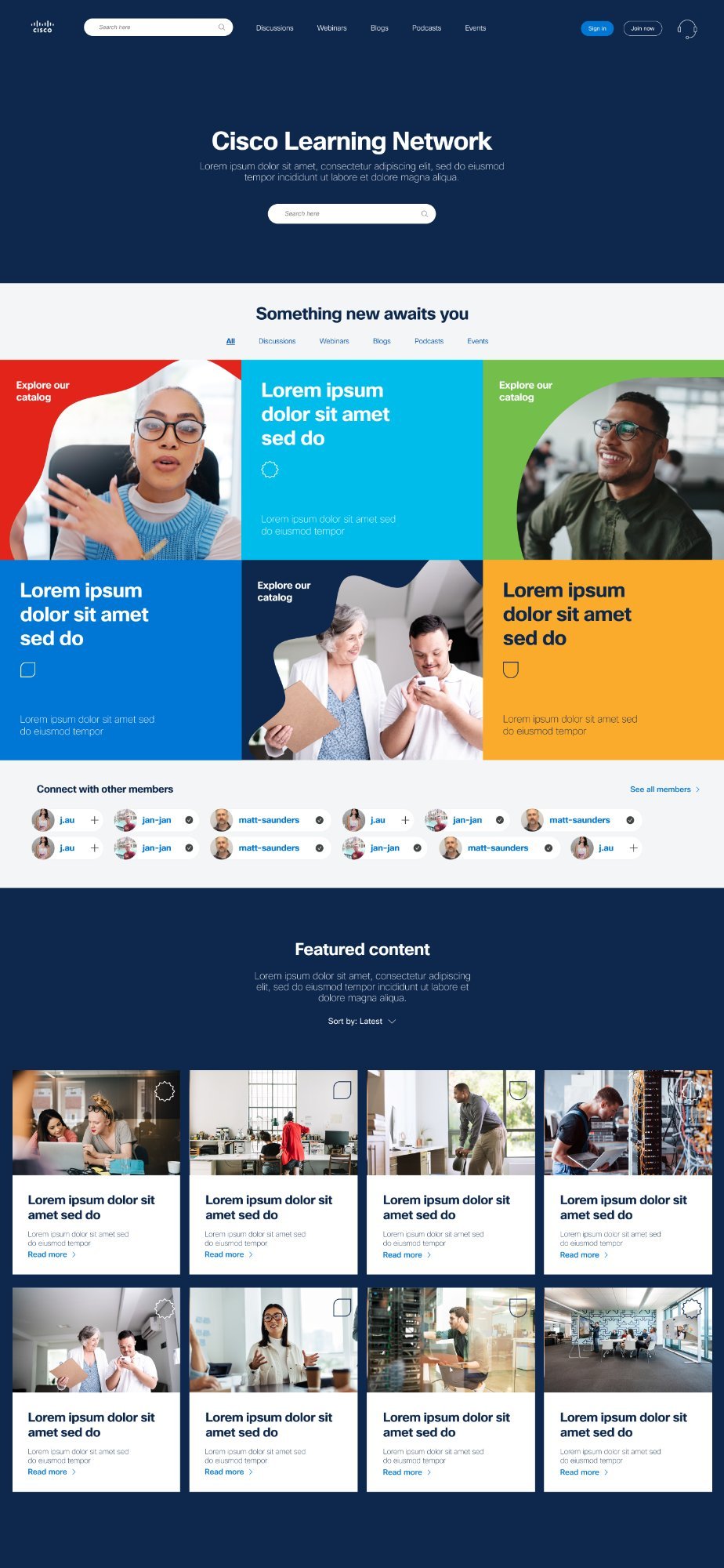
Dark Mode
Final — Dark Mode User Preference Toggle
Part 2 of the Project

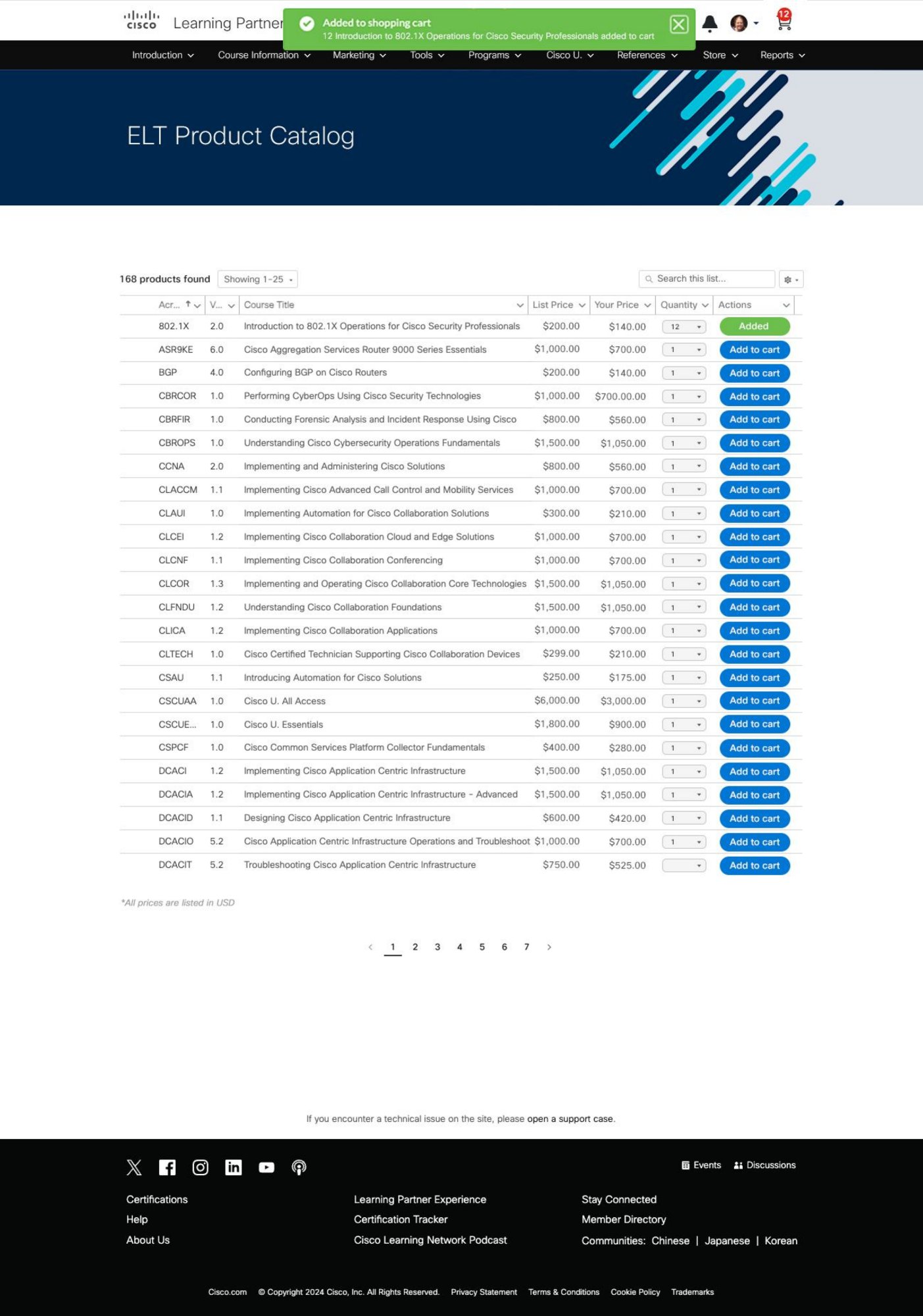
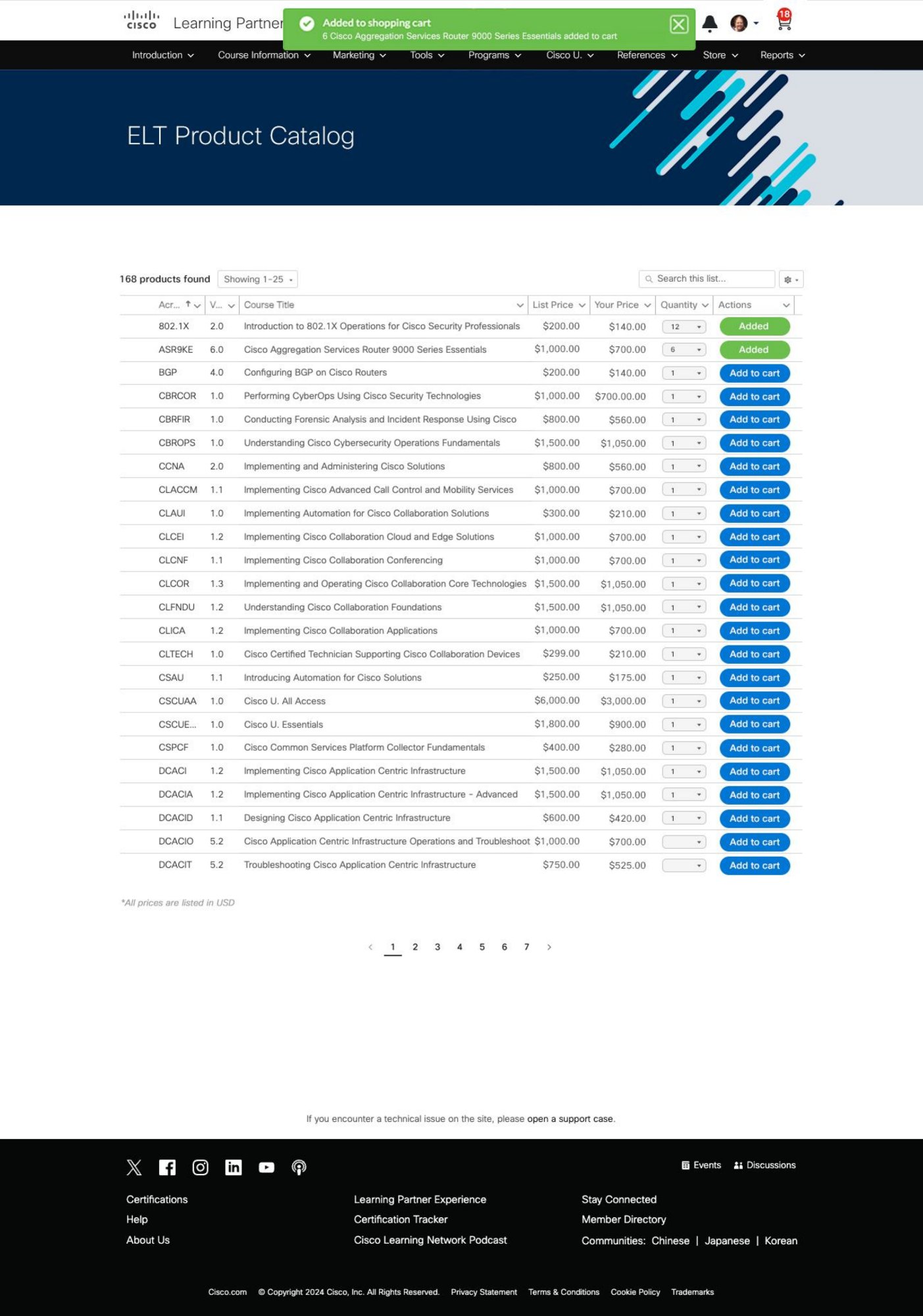
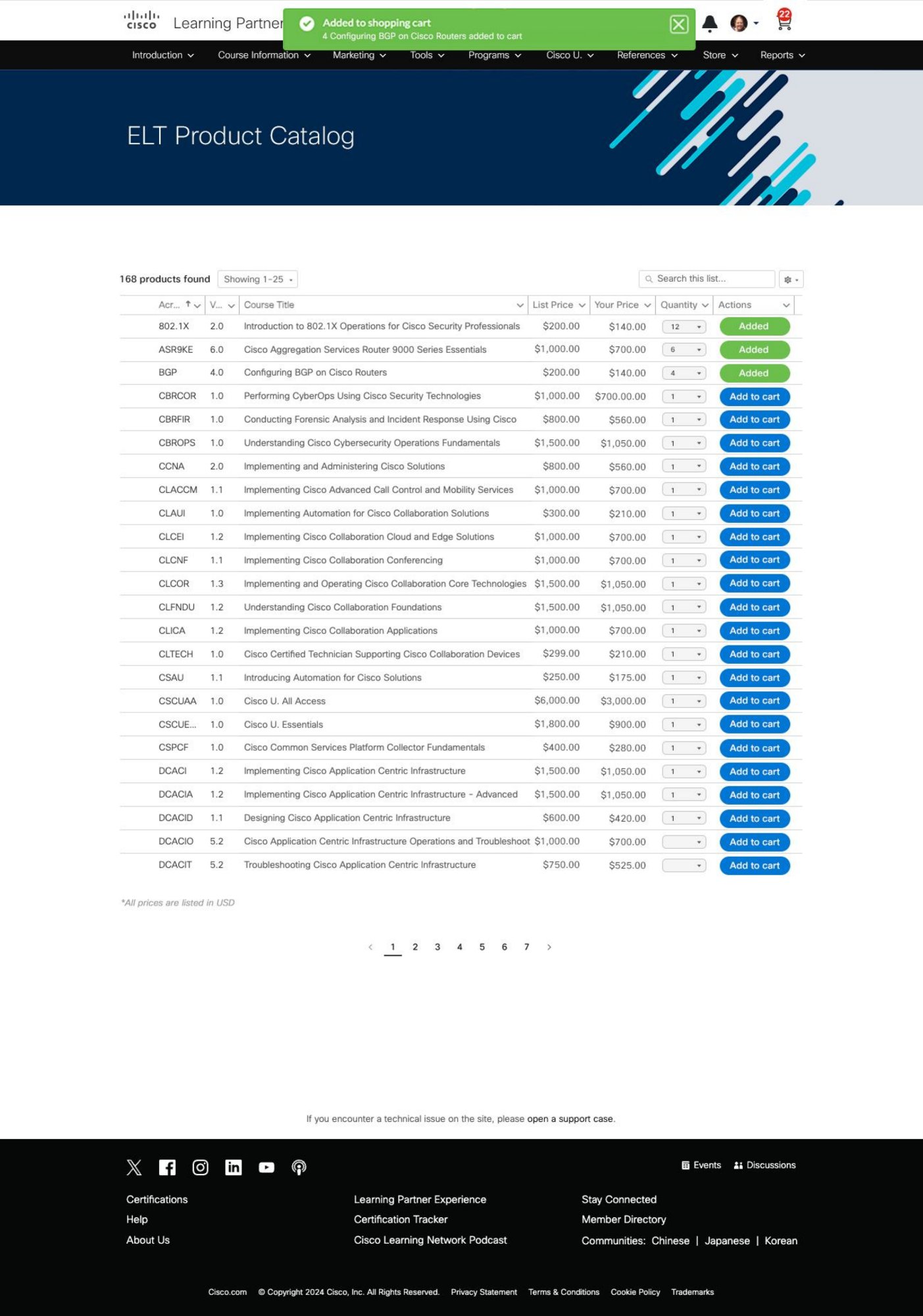
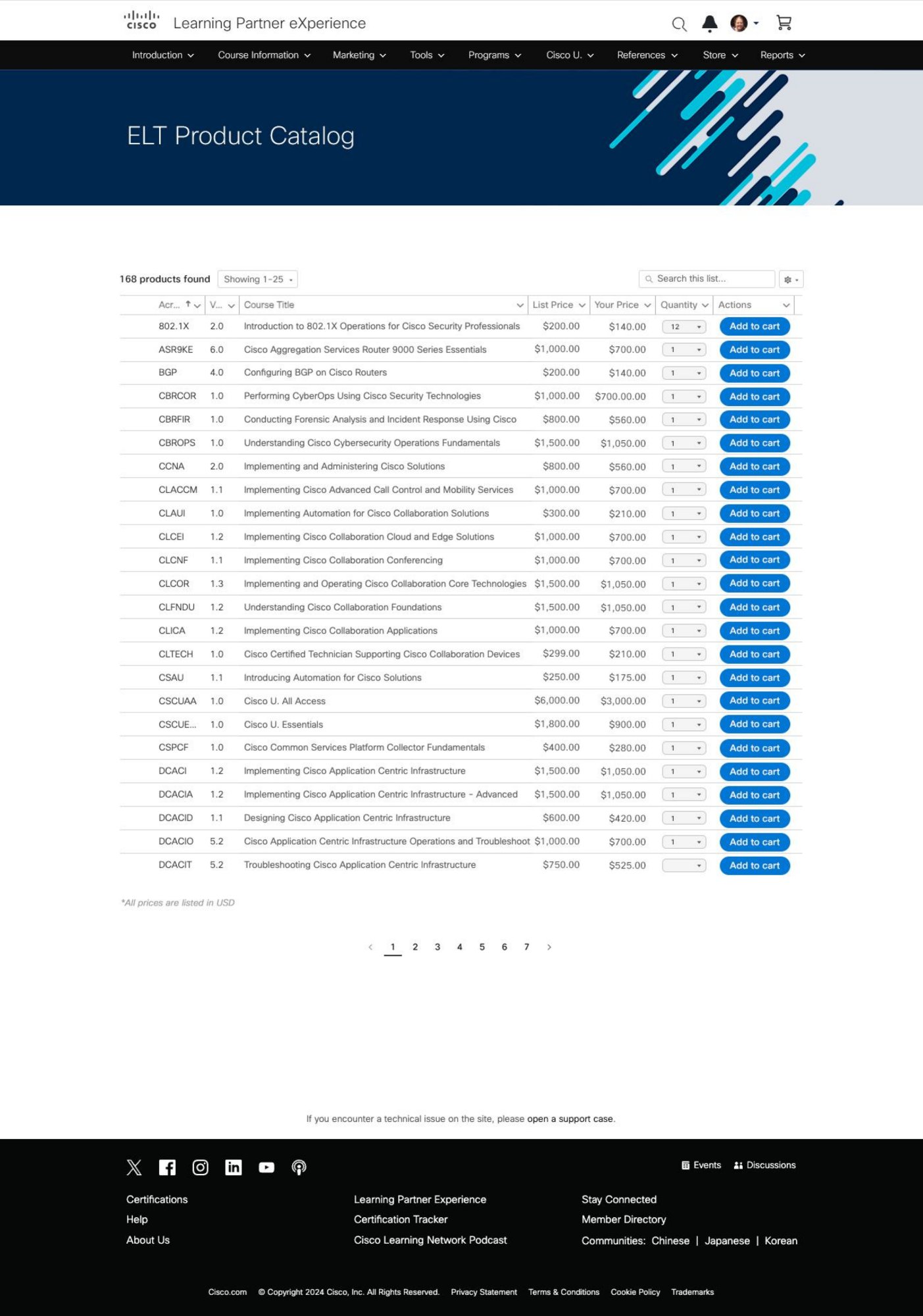
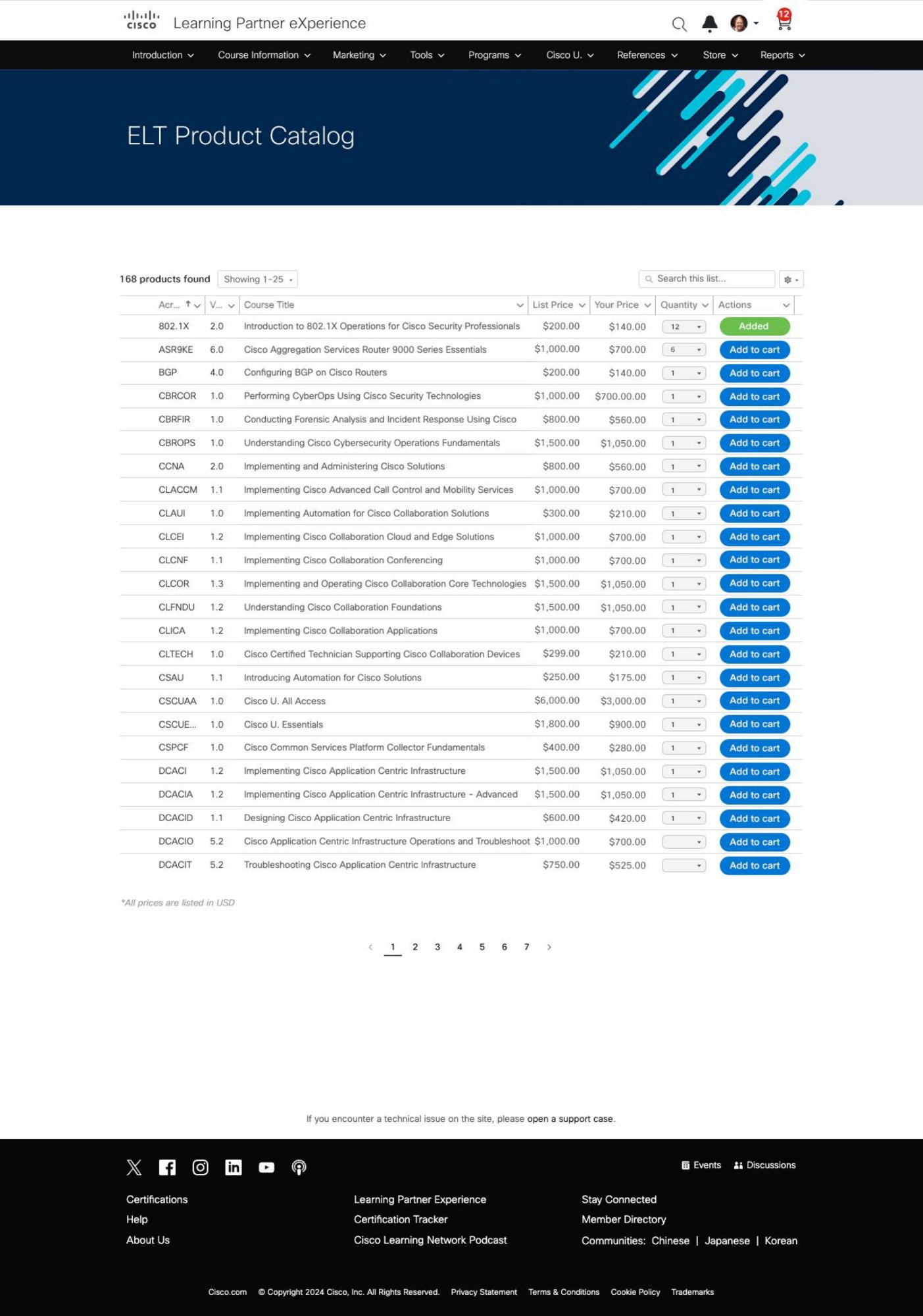
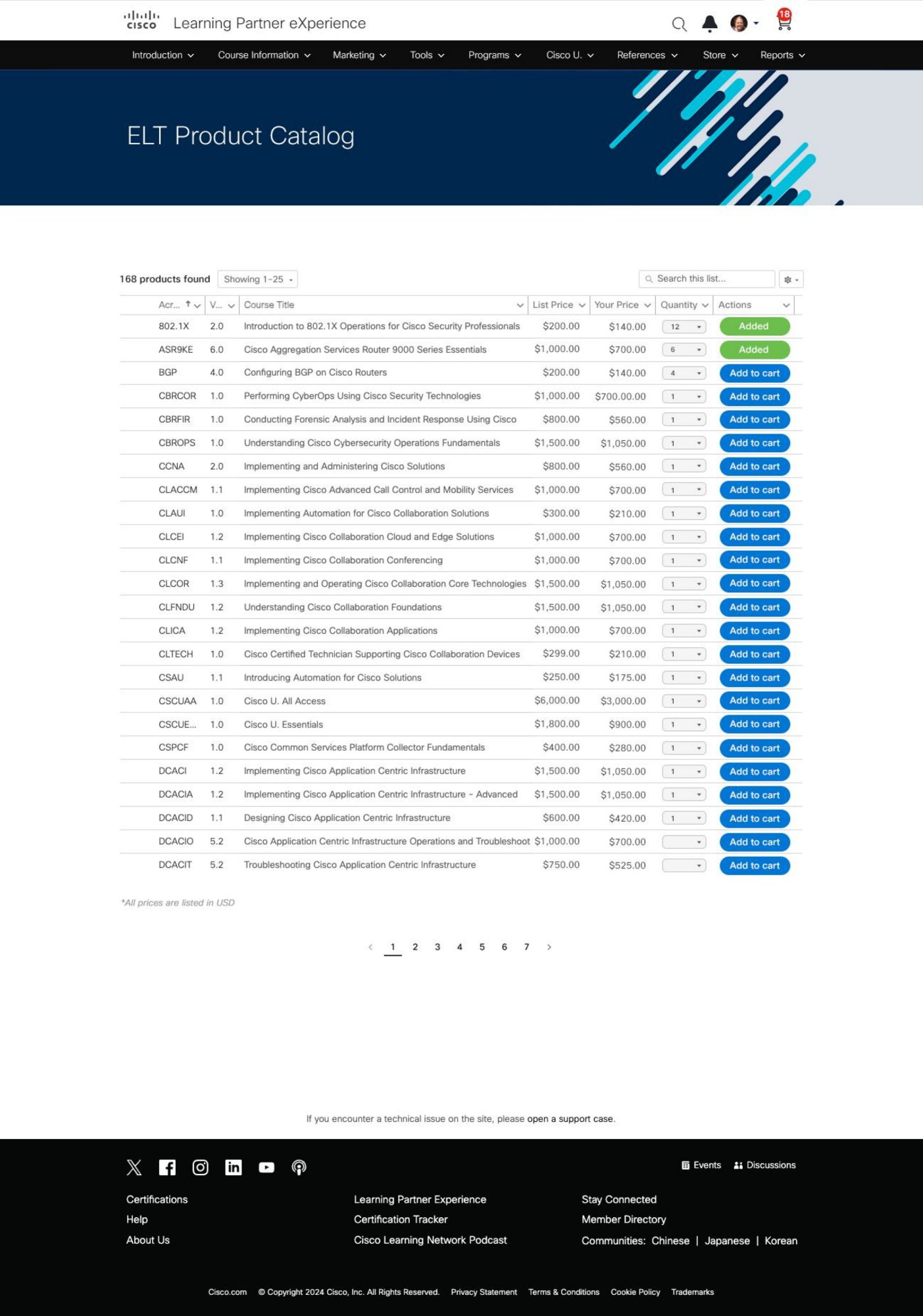
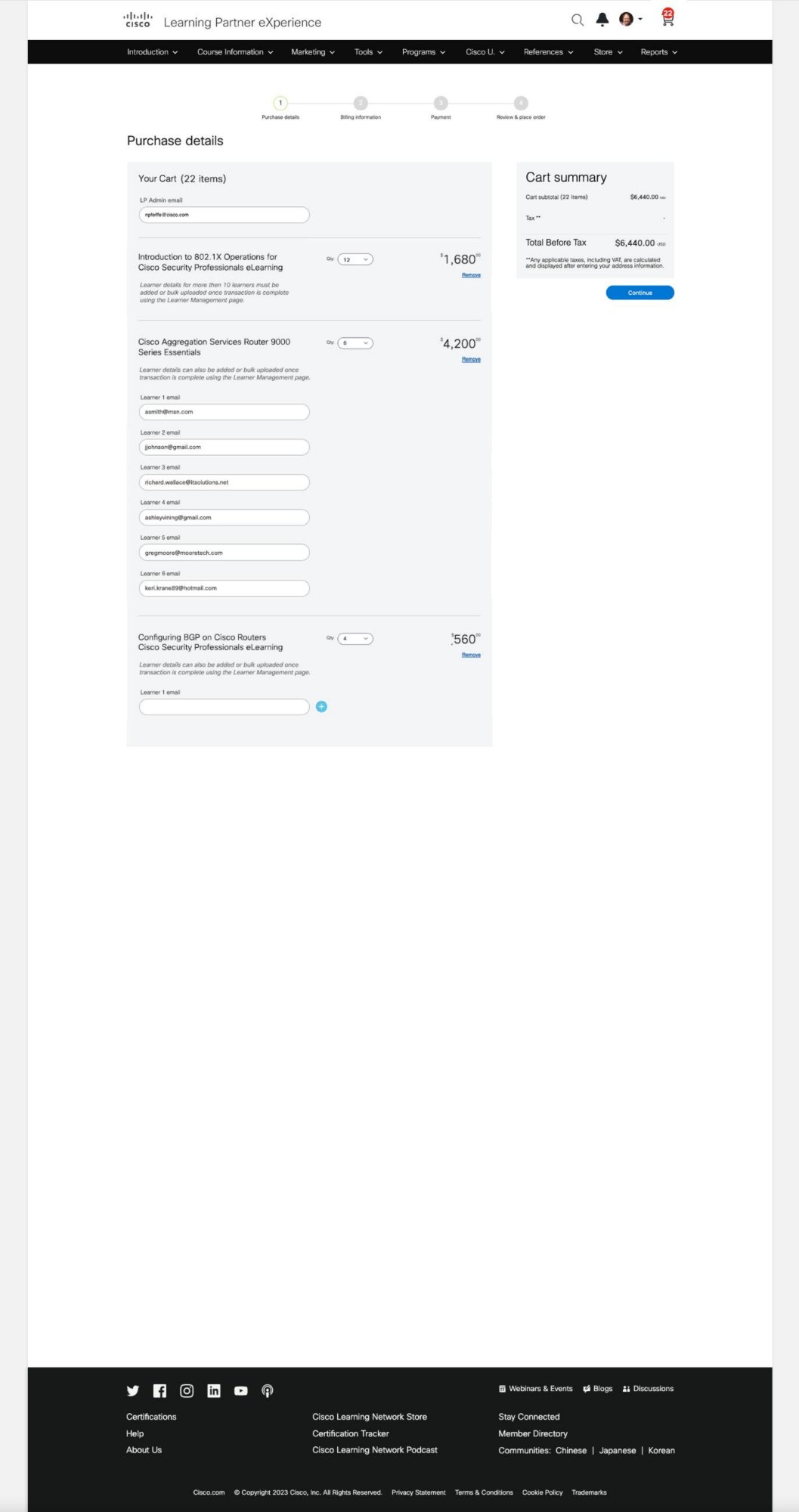
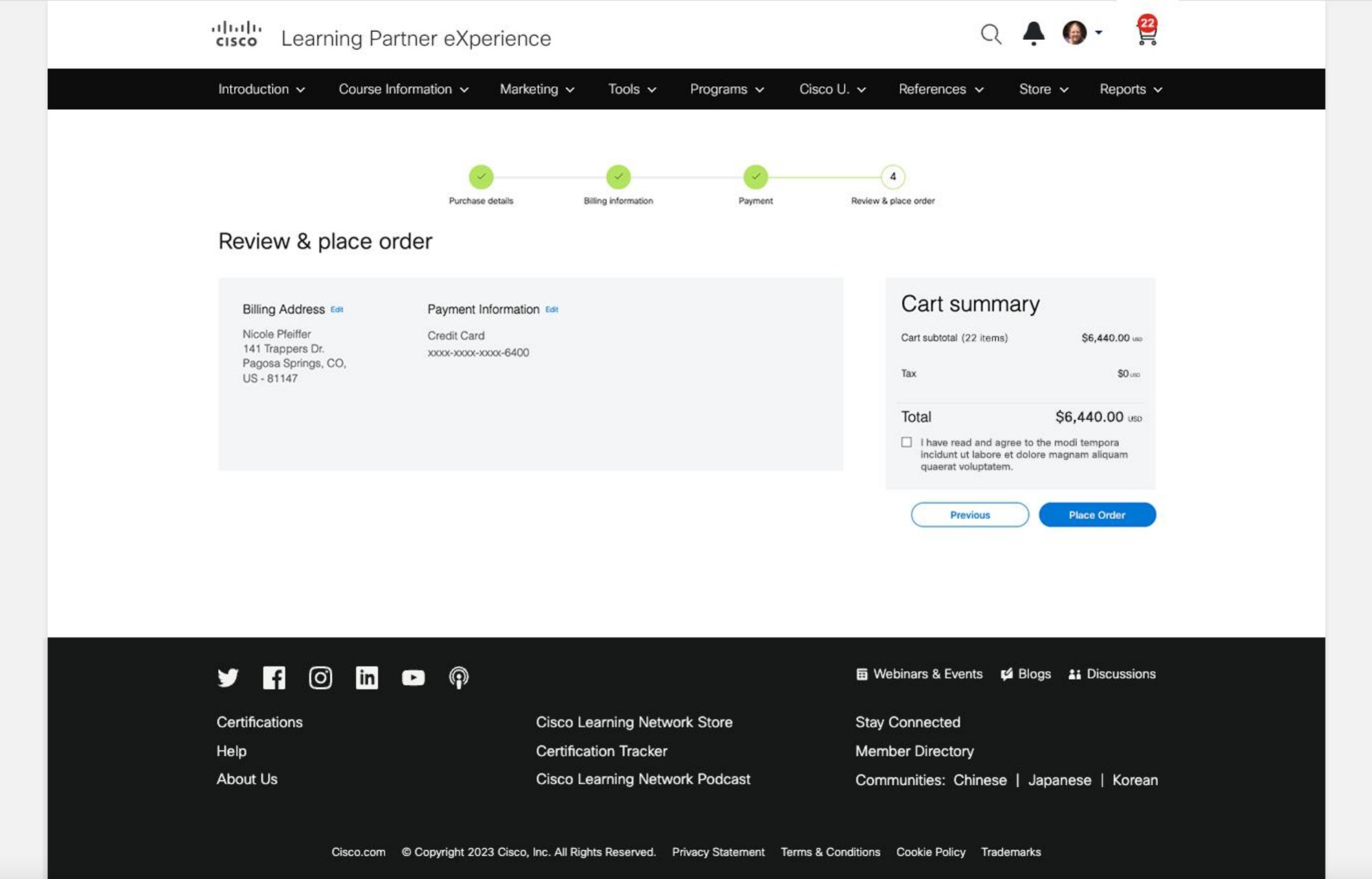
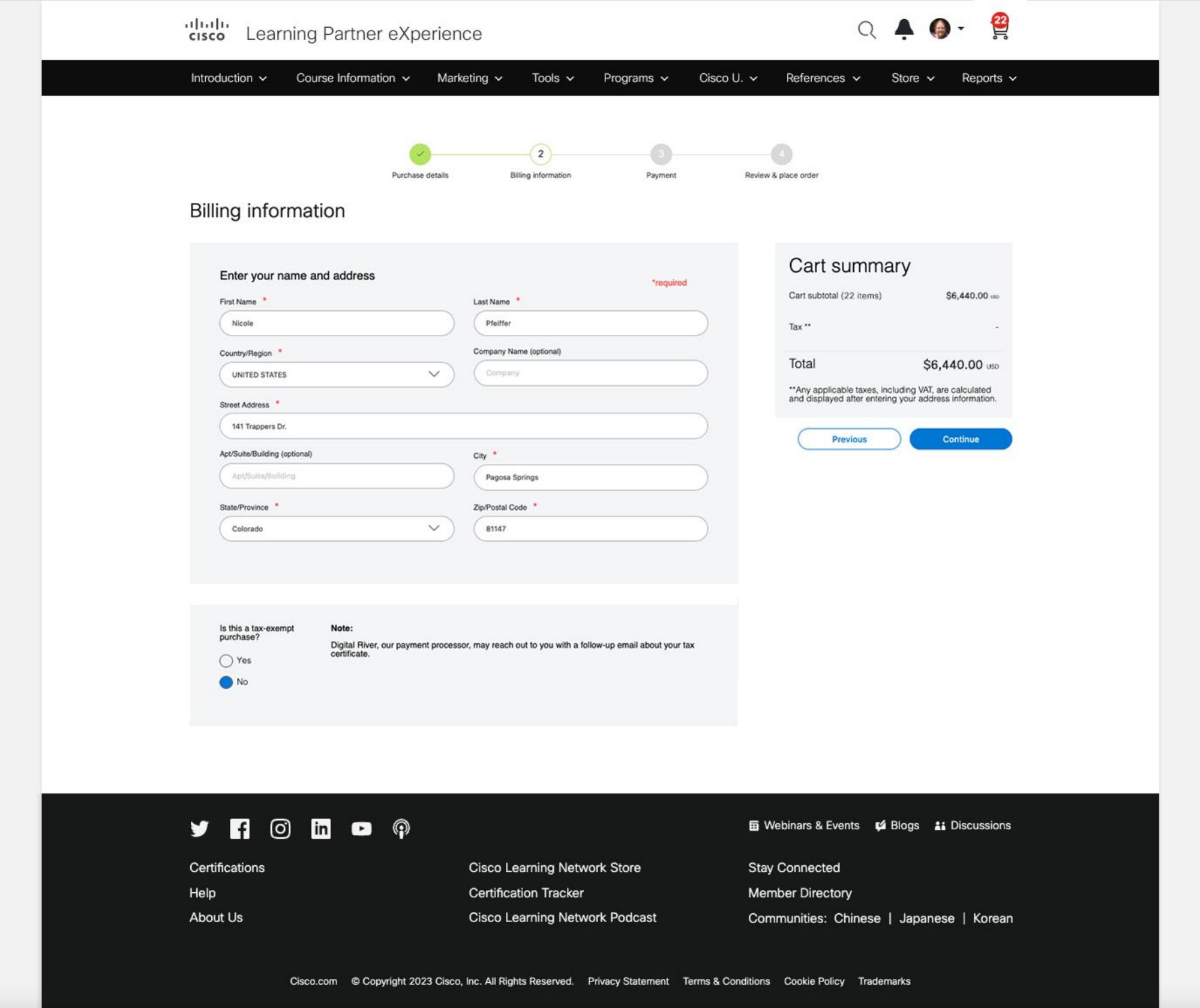
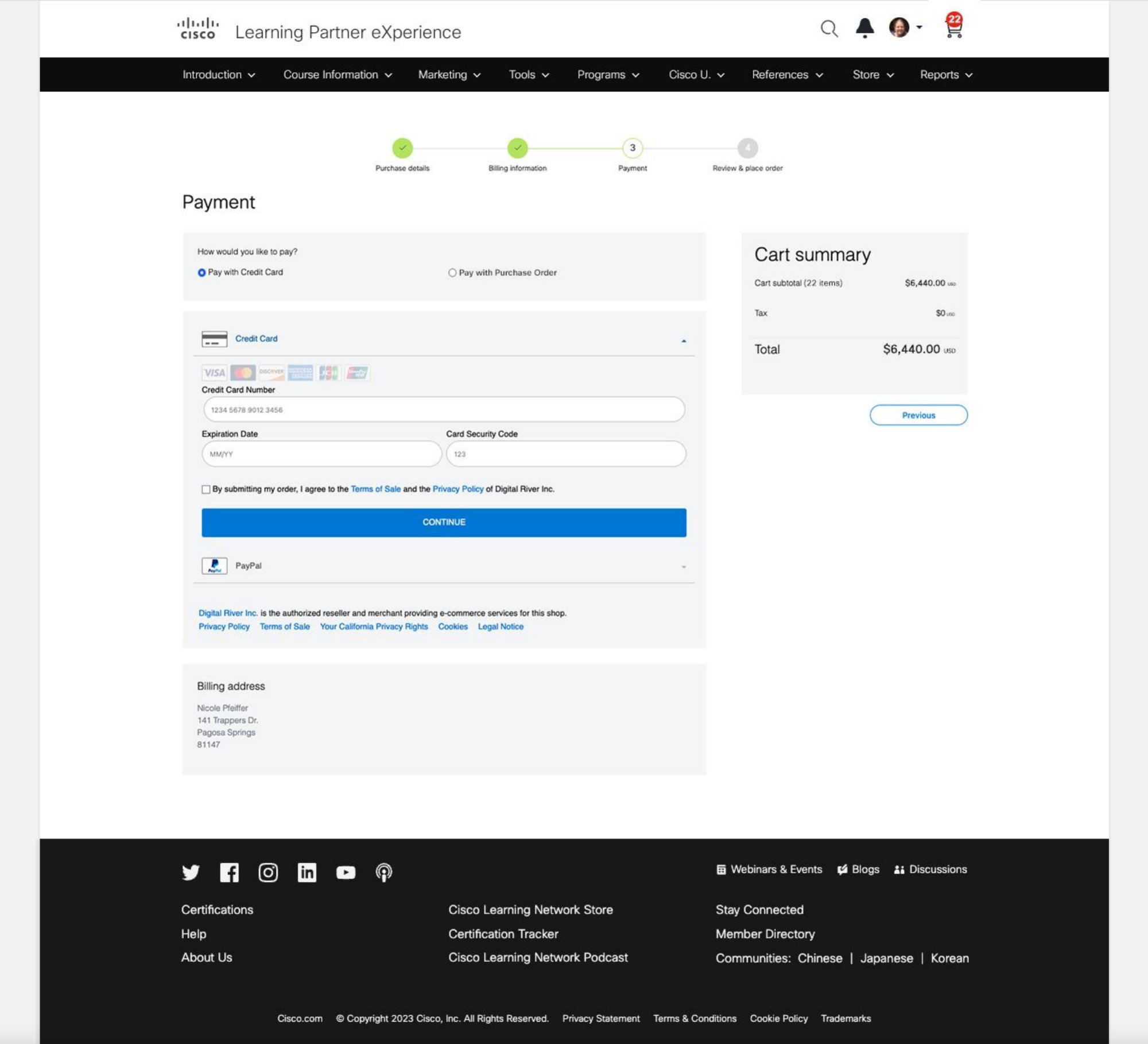
The Learning Partner Experience

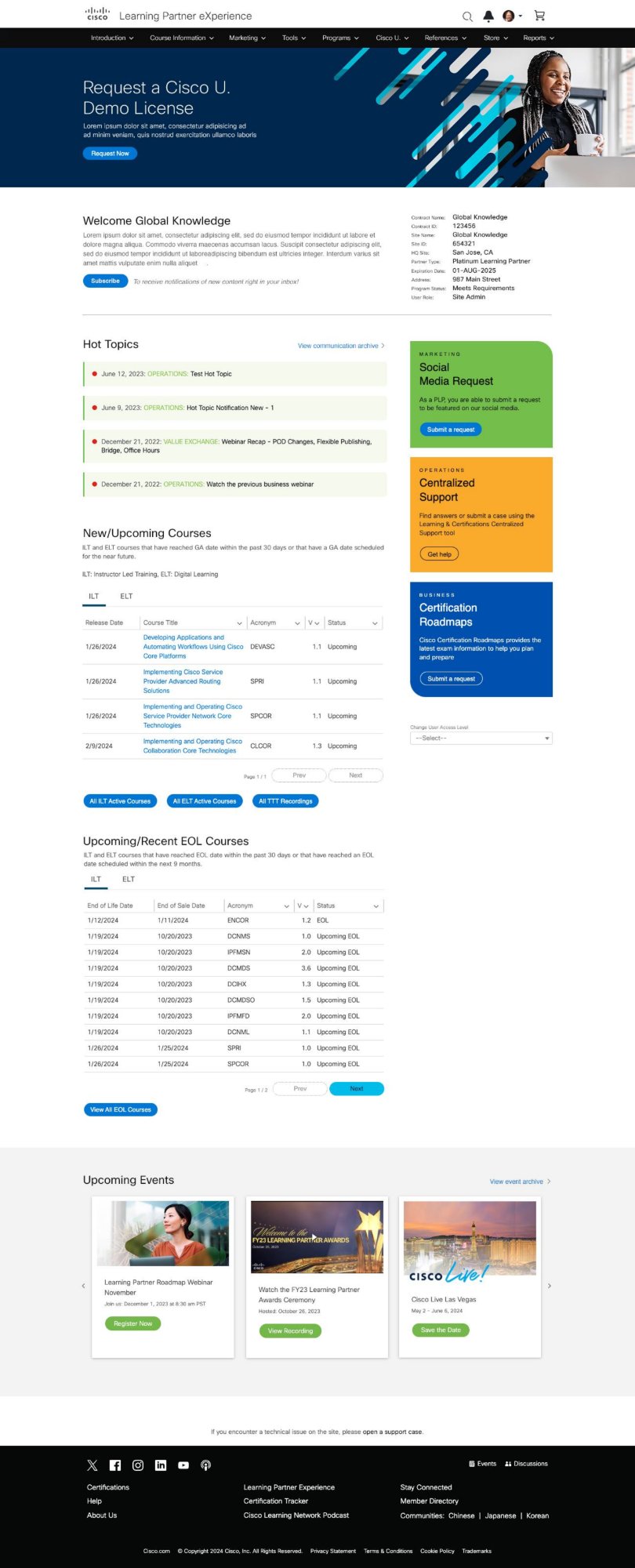
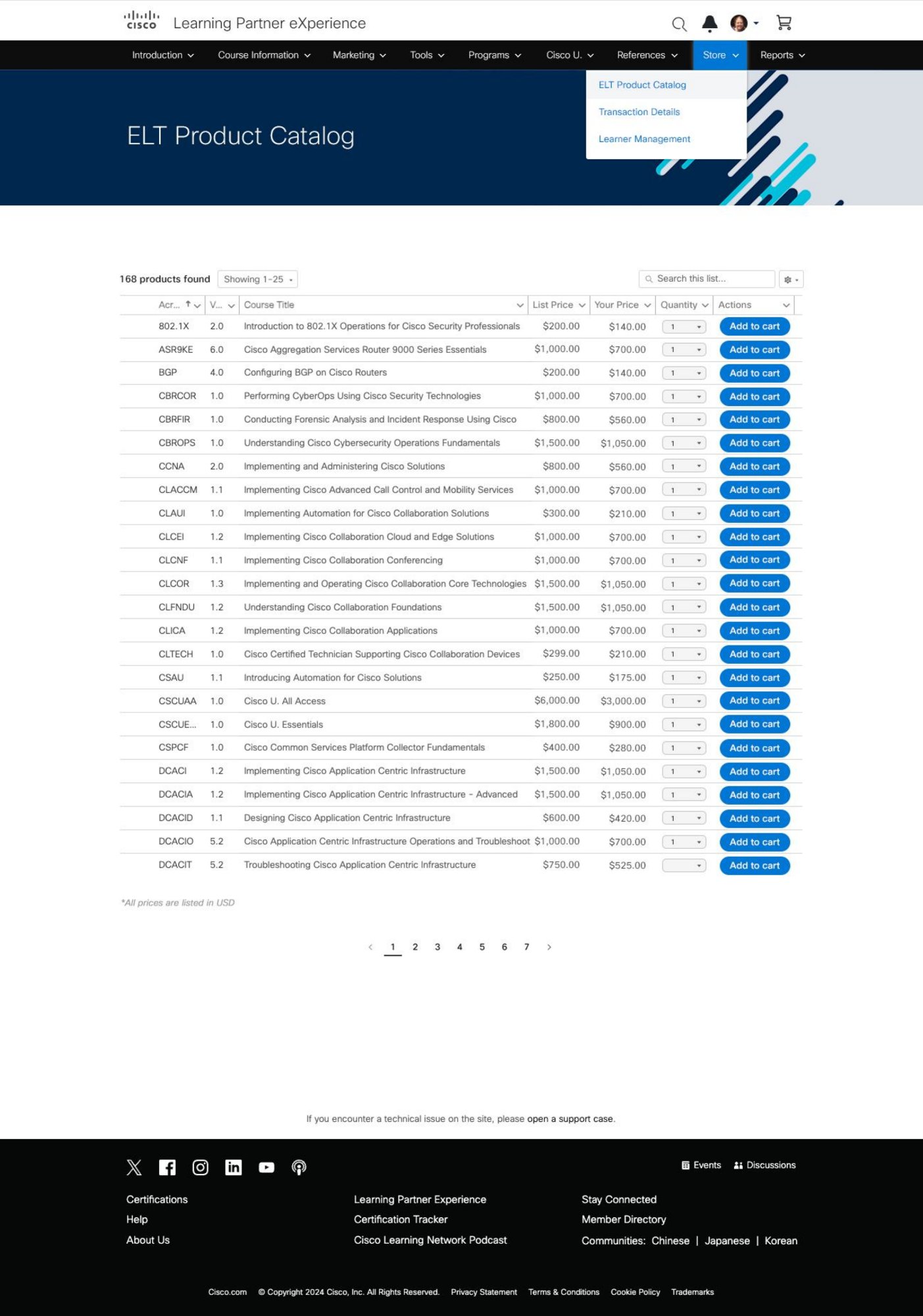
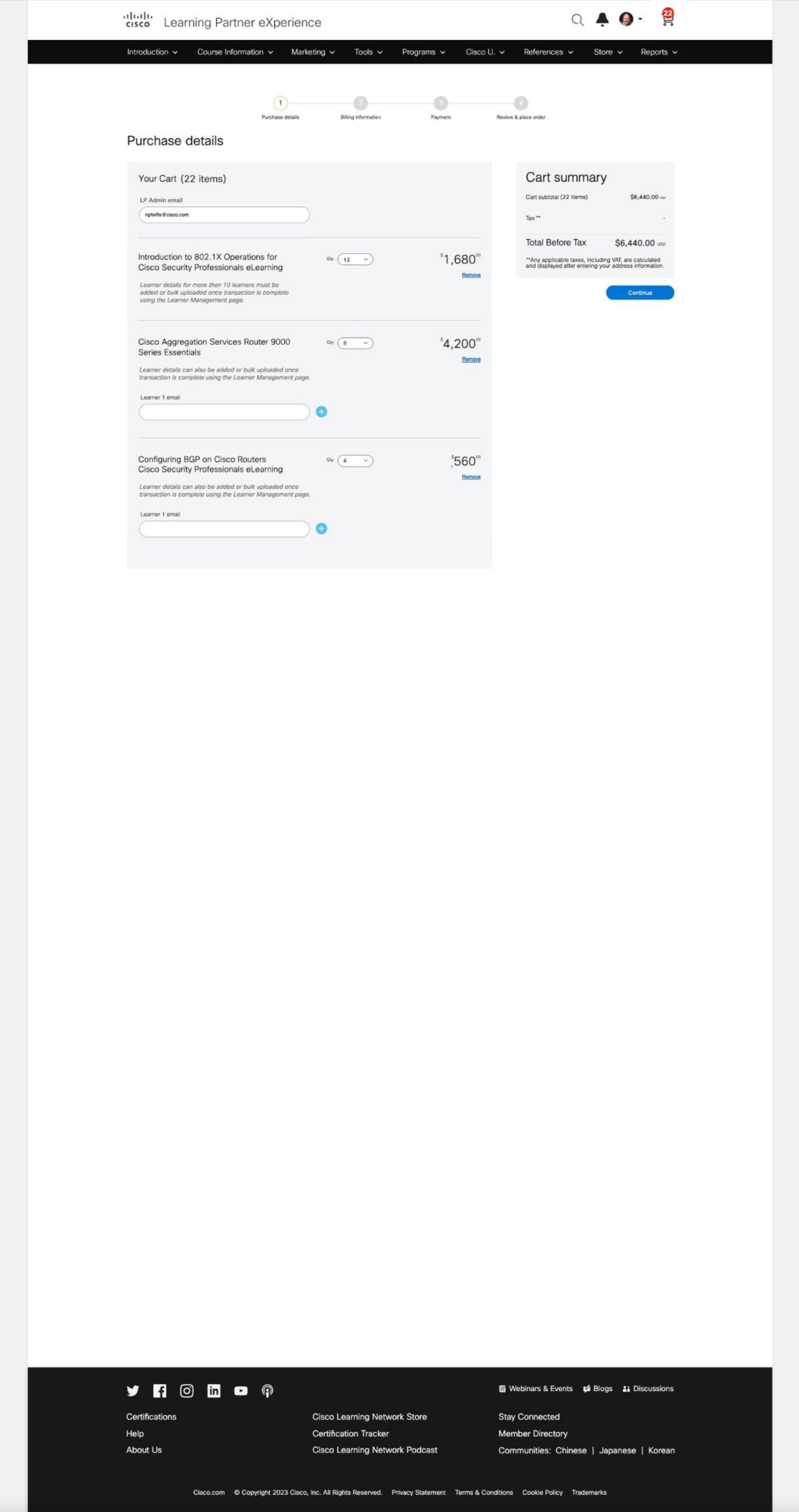
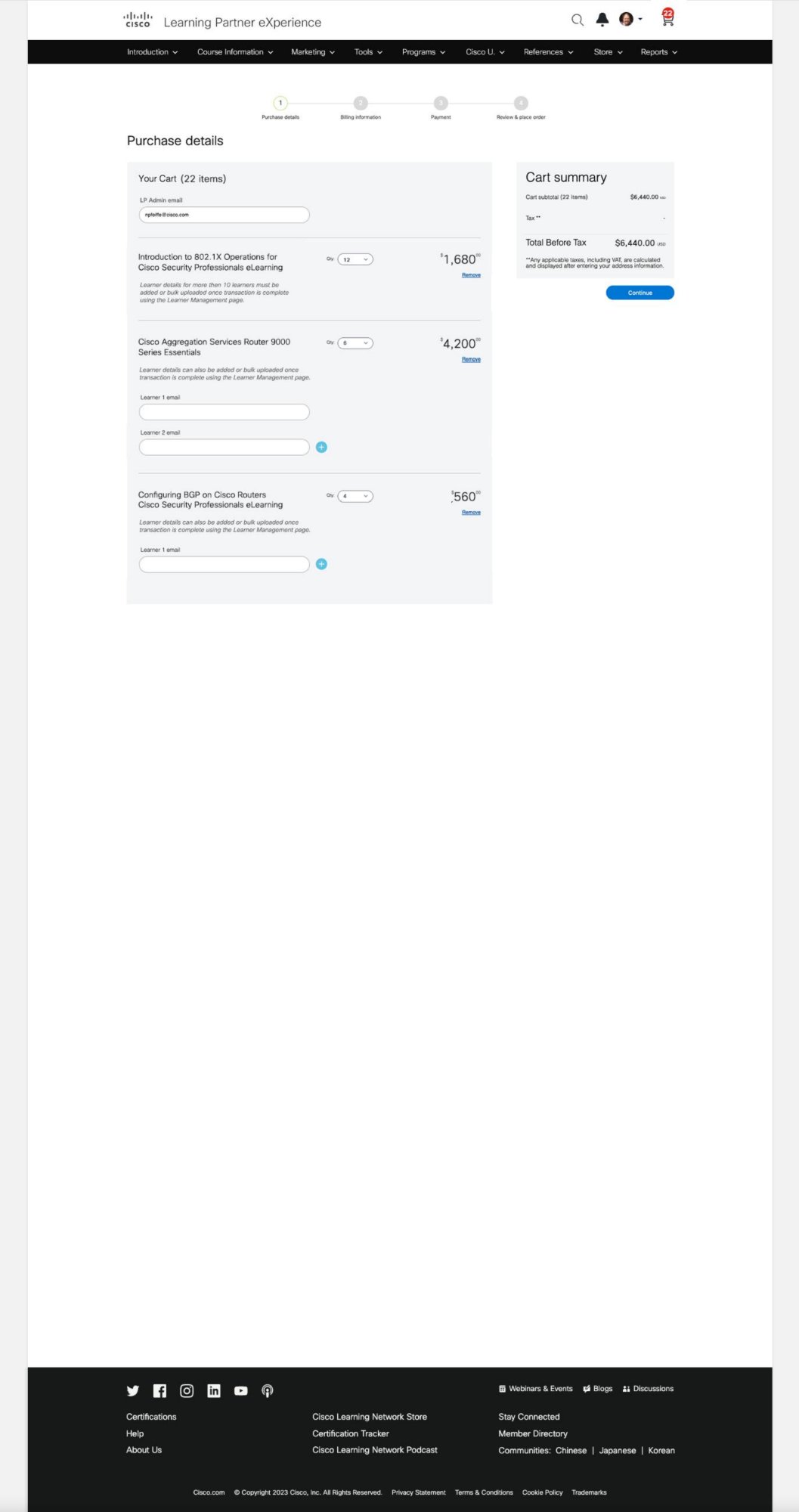
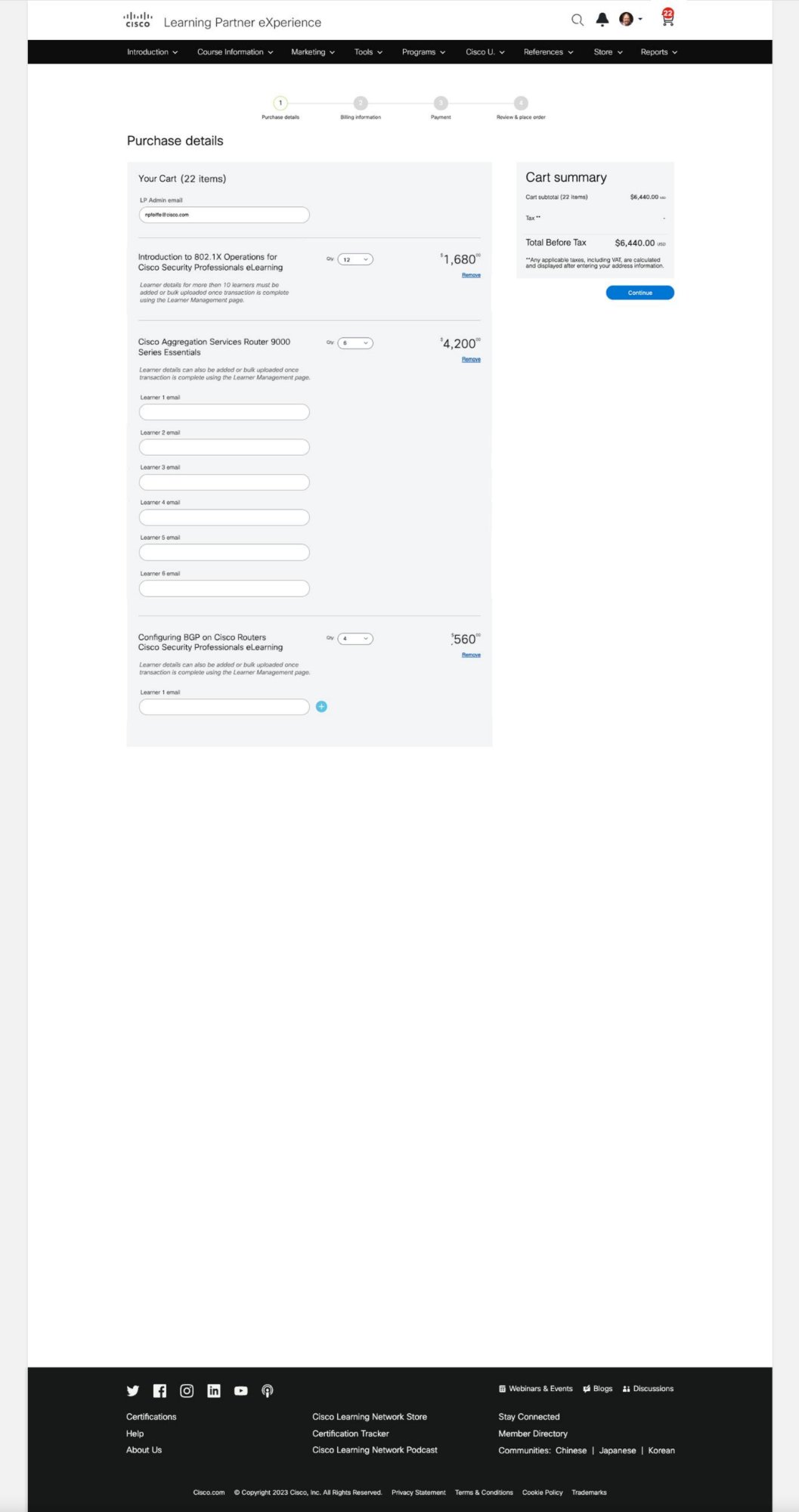
The CLN rebrand was only half the story. I also led the end-to-end design of the Learning Partner Experience (LPX) page — redesigning how Cisco's global training partners purchase courses, manage learners, and access certification tools. Same research rigour. Same design process. Different user, different outcome.

LPX Standard
LPX Standard View Partner Dashboard
Learner Field
Additional Learner Fields Partner Flow
Billing
Checkout — Billing Simplified Purchase Flow
Payment
Payment Screen Secure & Clear
Review
Store Review Screen Partner Experience
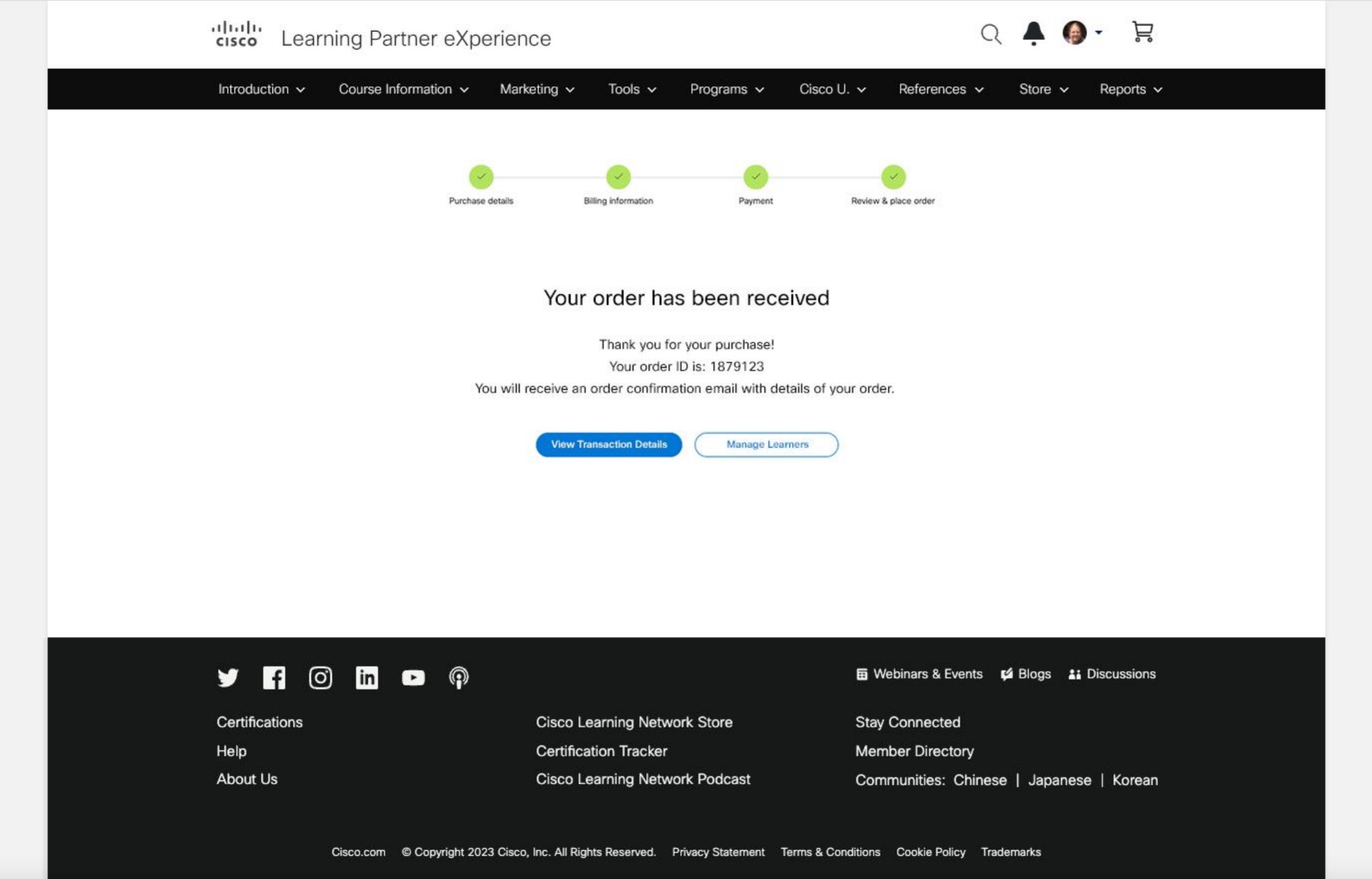
Place Order
Place Order — Final Step Confirmation Flow
The Outcome

Design that moved numbers

This wasn't just a visual refresh. Every design decision traced back to a specific user pain point, and every outcome was measured. Here's what changed.

25%
Task Completion
Users could find and complete learning paths significantly faster after the navigation redesign.
18%
Engagement Increase
Platform-wide engagement rose across all key partner markets. Mobile scores improved substantially.
20%
Sign-Up Growth
Streamlined onboarding and clearer CTAs drove a measurable increase in new user registrations during testing.
"This project taught me that great enterprise design isn't about making things look modern — it's about making complexity feel simple. The Muse system gave us consistency; the research gave us clarity; the iteration gave us confidence."
— Mahesh Guntivenkata, Product Designer
← All Projects Next: Walmart →